

Best Adobe Creative Cloud Certification Courses for You
If you’ve been staring at a list of adobe creative cloud certification courses wondering which one actually moves your career forward, you’re not alone. With certifications for individual apps, specialty credentials that stack, and a brand-new generative AI track, Adobe’s certification landscape can feel more tangled than a complex layer stack. Maybe you’re weighing the time commitment against a promotion, or trying to decide whether a £3,000 university programme returns more value than a £30 self-paced video course over a few weekends. This Q&A guide walks through the critical questions you should ask before you commit—so you end up with a credential that employers recognise, not just a course completion badge.
What Adobe certifications can you earn for Creative Cloud?
Adobe offers several certification paths, but the two most common programmes for creative professionals are the Adobe Certified Professional (ACP) and the Adobe Certified Expert (ACE) tracks. ACP is built squarely around the creative tools inside Creative Cloud. You can certify in a single application—Photoshop, Illustrator, InDesign, Premiere Pro, After Effects, Animate, or Dreamweaver—or stack multiple exams to earn a specialty credential in Visual Design, Video Design, Web Design, or Marketing Design. The specialty credentials aren’t separate exams; they’re awarded automatically once you pass the required combination of individual app certifications, which makes them efficient goals if you already plan to certify in two or three applications anyway.
In February 2026, Pearson and Adobe launched a new certification that sits alongside the classic app exams: Product & Experience Design with AI Using Adobe Firefly. It validates practical generative AI skills in creative workflows—image generation, text effects, and AI-assisted design inside Adobe Express and the broader Creative Cloud ecosystem. The credential signals that you can use AI responsibly and integrate it into real production tasks, not just dabble with prompts.
Adobe Certified Expert credentials target the Adobe Experience Cloud platform (analytics, campaign management, content management) and are far more common among marketing technologists, data analysts, and enterprise architects. For most people searching for adobe creative cloud certification courses, the ACP programme is the natural starting point. If your job title includes “Marketing Operations” or “Experience Manager”, the ACE side may be a better fit, but that world is beyond what the Creative Cloud-focused exams cover.
Which certification fits my career path?
The answer depends far more on your current or target job than on which app you happen to open first. Here’s how the most common roles map to the certification catalogue.
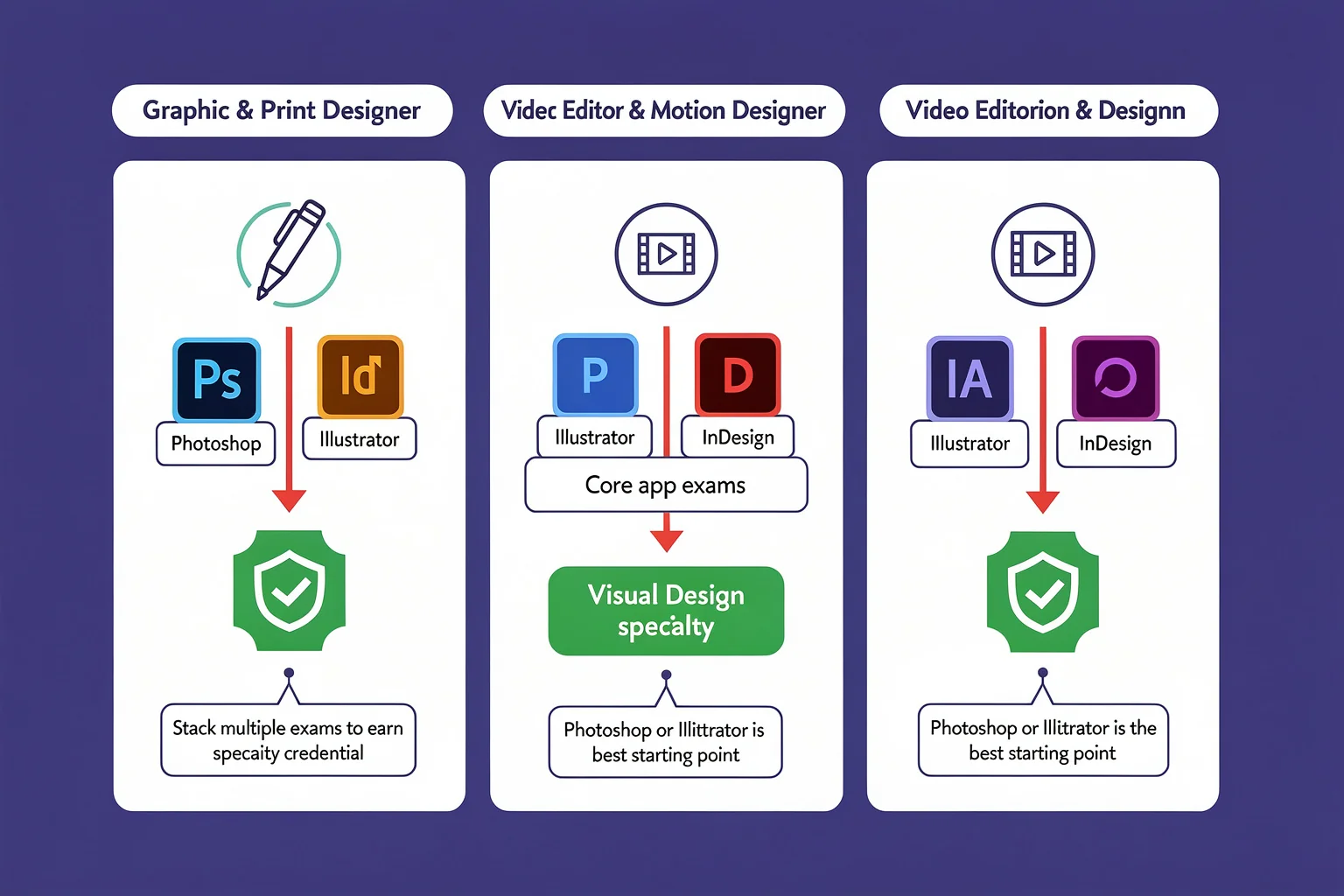
- Graphic and print designers: The Visual Design specialty is the default pick. It requires passing Photoshop, Illustrator, and InDesign. If you work in packaging, editorial, or corporate identity, this trio appears in nearly every job description. A single-app certification in Photoshop or Illustrator still carries weight if you’re early in your career—it shows you’ve cleared a recognised benchmark. You can read through the Visual Design specialty requirements if you’re mapping out the full three-exam path.
- Video editors and motion designers: Aim for the Video Design specialty, which bundles Premiere Pro, After Effects, and Photoshop. Post-production houses, event media companies, and in-house video teams expect fluency across those tools. If you only cut footage, a standalone Premiere Pro cert still proves your timeline and colour grading chops.
- Web and UX/UI designers: The Web Design specialty (Dreamweaver, Animate, and Photoshop) is still live, but many UI designers supplement it with the new Firefly certification to show they understand AI-driven prototyping, asset generation, and rapid iteration in tools like Express. Employers in 2026 increasingly ask how you work alongside generative AI, not just whether you can push pixels.
- Social media and marketing creatives: The Marketing Design specialty or the Content Creation & Marketing Using Adobe Express cert are practical choices. They prove you can produce campaign-ready assets without a long stop in the art department. These certifications also resonate with communications roles—proposal writers, brand coordinators, and in-house content producers who create visual material daily but don’t hold a “designer” title.
If you’re unsure where to begin, start with Photoshop or Illustrator. Most mid-career designers say those two underpin nearly every creative workflow. Once you’ve earned one, adding a second or third app cert takes less time because the exam format and study rhythm become familiar. If you’re starting from absolute zero, following the Adobe Photoshop certification steps gives you a concrete, step-by-step path that removes the guesswork about registration, preparation, and exam day.
What are the best training courses to prepare for an Adobe exam?
There isn’t a universal “best” course, but strong options cluster around three formats. The right one usually depends on how you learn, how fast you need the credential, and whether your employer is footing the bill.
Instructor-led bootcamps give you accelerated, project-based training with live feedback. For example, the Adobe Creative Cloud Bootcamp Course packs 102 hours of live instruction across Photoshop, Illustrator, InDesign, Premiere Pro, and After Effects. You also get a free retake window and four months of Creative Cloud access—nice extras if you’re learning the tools from scratch. Bootcamps force the pace; they work well if you struggle to self-motivate but can block out several weeks of daily sessions.
University certificate programmes bundle exam vouchers with comprehensive, semester-length coursework. San Diego State University offers an Online Adobe Certification in Premiere Pro, Photoshop, Illustrator, InDesign, and Animate that spans 270 hours, includes all five exam fees, and gives you a full year to finish. Similar programmes exist through other institutions; Front Range Community College provides a comparable online Adobe certification path with the same bundled structure. These programmes suit learners who want a transcript, not just a credential, and who need a structured curriculum they can follow around a full-time job.
Self-paced online courses (LinkedIn Learning, Coursera, YouTube) cost far less but rarely align perfectly with the current exam objectives. Adobe Learn’s free tutorials are solid for learning the software itself, but they won’t simulate test-day pressure. A common strategy is to pair a low-cost video course covering the fundamentals with a dedicated exam-readiness platform that provides a large question bank, timed practice sessions, and per-question explanations. PlanetCert’s simulator, for instance, lets you run full-length, topic-weighted practice tests that mirror the real exam’s interface and pace, which is exactly the kind of reps you need after you’ve finished the initial coursework.
What should a quality Adobe certification course include?
Whether you pay £40 or £4,000, the course needs to tick a few non-negotiable boxes.
Exam-objective alignment. The official Adobe exam guide lists every domain and sub-topic. A course that doesn’t map its syllabus to that document is wasting your time. The SDSU programme, for example, openly ties each module to the ACP exam objectives, which is why some learners pick it over a generic video library. Before you enrol, ask for a copy of the alignment matrix or check the provider’s website for a public description of which objectives each section covers.
Hands-on projects that mirror the exam style. The Adobe exams are performance-based: you complete real tasks inside a simulated application environment rather than selecting multiple-choice answers. That means your course must force you to spend far more time inside the application than watching someone else click through menus. Look for courses that assign actual design briefs and give you instructor feedback on your work—or at least supply project files and rubrics so you can self-assess. A curriculum heavy on lecture slides but light on project briefs won’t build the muscle memory you need when the clock is ticking.
Software access long enough for your study window. Adobe trials run seven to thirty days, which isn’t enough for a multi-week study plan. Courses that bundle a Creative Cloud subscription (the bootcamp includes four months; the SDSU programme gives you access for the year) remove a hidden cost that can otherwise surprise you. If you’re supplying your own licence, confirm that your plan covers the current exam version—some exams still target the previous release.
Practice assessments and exam support. A course that doesn’t include at least one full mock exam is undercooked. Ideally, you want multiple practice tests with detailed answer explanations and domain-level scoring, so you can see exactly where you’re weak. If the course itself falls short, supplementing with a dedicated test-prep platform that offers a broad question bank and timed simulations is often the difference between a narrow fail and a confident pass.
How much do Adobe certification courses cost?
You can spend as little as nothing—Adobe Learn’s tutorials are free—or north of $4,000 for a full university certificate programme. Here’s how the tiers stack up.
- Free to $50. Adobe Learn, YouTube playlists, and low-cost Udemy courses. Great for dipping a toe in, but rarely sufficient on their own for exam prep because they skip the test-day environment, don’t always cover every objective, and rarely include graded projects. Use them to learn the software, then graduate to exam-targeted materials.
- $40 to $45 per month. LinkedIn Learning and similar subscription libraries. You’ll find dozens of Adobe courses, though curation is your job. These can work if you stay disciplined and pair them with a practice-test resource.
- $2,000 to $4,000. Accredited certificate programmes that include live instruction, software access, and exam vouchers. The San Diego State University course runs $3,269, exam vouchers included. Other partner schools price similarly. If your employer offers tuition assistance or you can use a professional development stipend, this tier often delivers the best structure-to-cost ratio for someone starting from scratch.
The certification exam fee is a separate line item—usually around $180 in the United States per exam—and that’s before retakes. For a full breakdown of exactly what the exam itself costs, including practice-test fees and voucher discounts, see the Adobe Certified Professional exam price 2026. If you’re chasing a specialty credential, multiply that figure by three or four because you’ll need a separate exam for each application.
Can I get certified online, and what’s the exam process?
Yes, you can take the entire journey remotely. Adobe certification exams are delivered through Certiport’s authorised testing centres or online via OnVUE, the remote proctoring platform. You’ll need a quiet room, a reliable internet connection, and a computer that meets the system requirements. Certiport’s website includes a system check tool that verifies your webcam, microphone, and network stability before you schedule.
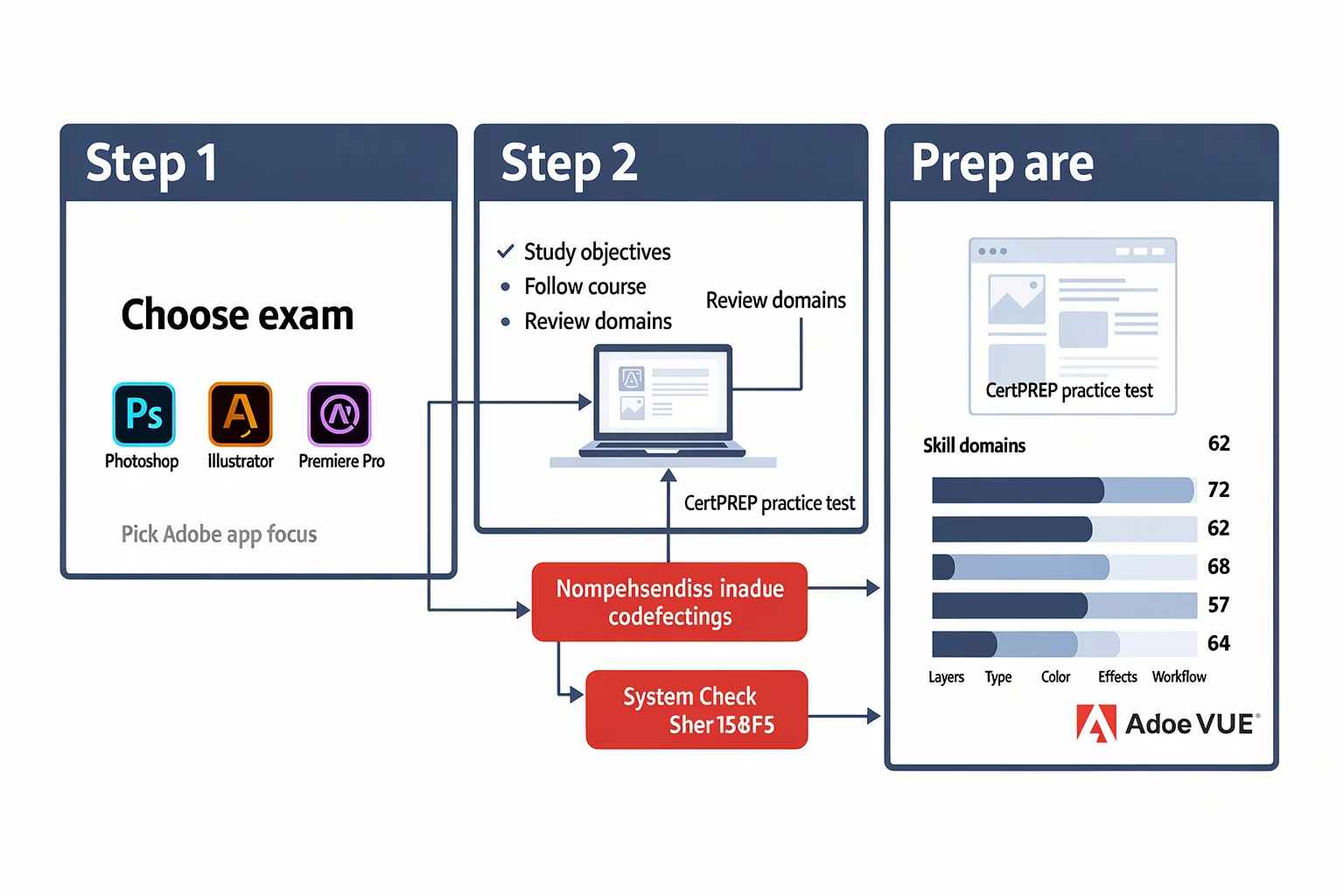
The typical process: pick your exam, study the objectives, work through a training course, then schedule a CertPREP practice test. A CertPREP report shows you exactly which domains need more work. After you’ve closed the gaps, you register, pay, and sit the 50-minute performance-based exam. The interface asks you to complete real tasks inside a simulated application environment—there’s very little multiple choice. That’s why grinding through practice tests that mimic the live UI is so valuable. Some candidates mix the official CertPREP with a broader test bank from a platform like PlanetCert to get more reps under their belt before the real thing.
On exam day, whether at home or in a test centre, expect an identity check, a room scan, and strict rules about phones and notes. Remote proctoring means you’ll be recorded, and a live proctor may pause your exam if they see something suspicious. It’s a little invasive, but it keeps the credential’s value honest. If your internet is flaky, consider a test centre; a dropped connection during a remote exam usually means a case review and a possible retake.
How long does it take to prepare for an Adobe exam?
Expect to spend at least a couple of months if you’re balancing a job and a family. Full-time bootcamps compress the timeline dramatically—the 102-hour Creative Cloud bootcamp runs over several weeks of intensive daily sessions. The 270-hour university programmes are designed to be completed in 12 months at a manageable pace, though highly motivated learners often finish in four to six.
If you’re going the self-directed route, plan for 8–12 weeks of consistent practice. A realistic weekly schedule might look like two hours on three weeknights (watching tutorials or working on small projects) plus a four-hour block on Saturday for a full practice test and targeted review. Carve out 5 to 8 hours per week total. The timeline depends less on the course you choose and more on how much time you actually spend in the app—not watching someone else, but making your own work and then checking it against the rubric. One diagnostic practice test taken early in your study window can calibrate your expectations: if you score below 50% on the first mock exam, you’ll likely need closer to 12 weeks; above 60%, you might be ready in 6.
Other questions about Adobe certification courses
Do I need to be a full-time designer to benefit from an Adobe cert? Not at all. Many certificants work in marketing, communications, or education and use Creative Cloud daily without a “designer” title. The credential signals to your organisation that you can produce professional-quality assets independently, which often translates to faster turnarounds and more creative control.
How long does an Adobe certification stay valid? Adobe Certified Professional credentials never expire. The exam covers a specific software version, but the badge remains a permanent part of your Certiport transcript. If a new version introduces significant changes, you may choose to recertify, but it’s optional.
What if I fail the exam? You can retake it, but retake policies vary by region. Most test centres and remote proctoring setups require a waiting period and a new fee. That’s why many candidates budget for a practice-test phase that includes several full-length runs before they book the official slot. It’s cheaper to fail a simulated exam than to pay for a retake.
Should I get certified in multiple apps at once? If you’re eyeing a specialty credential, pursue the exams individually rather than juggling three or four apps simultaneously. Master one, take the exam, then move to the next. The confidence you build on the first test carries over, and you’ll already know your preferred prep rhythm.
Do the courses include the exam voucher? Some do, some don’t. The university programmes we’ve mentioned explicitly include vouchers for all five ACP exams. Short bootcamps may cover one or two, and self-paced online courses rarely bundle exam costs. Always read the fine print before entering payment details.
What’s the difference between Adobe Certified Professional and Adobe Certified Expert? ACP covers individual Creative Cloud applications and the creative workflows around them. ACE covers Adobe Experience Cloud products—analytics, campaign automation, content management—and is geared toward marketing operations and IT roles. If you’re designing assets or editing videos, ACP is your lane. If you’re configuring a marketing automation engine, start with the ACE path.
Are there any prerequisites for taking an Adobe certification exam? There are no formal prerequisites. Adobe recommends about 150 hours of hands-on experience with the application before attempting the exam, but you can register as soon as you feel ready. Most candidates who skip that practical experience find the performance-based tasks much harder than expected, so treat the 150-hour suggestion as a practical minimum, not a gatekeeping rule.
More guides to earn your Adobe certification
- Adobe Certified Expert cost breakdown
- Adobe Photoshop certification steps
- Visual Design Specialty Requirements
browse the relevant exam page and purchase a practice test

Discussion
Question Comments
0 comments·0 participantsSign in to leave a comment and access more free questions.