


CCNA Practice Exam Guide: Boost Your First-Attempt Success
More than half of CCNA candidates worldwide admit feeling overwhelmed when searching for reliable practice tools, especially as american testing standards set a high bar for technical competency. For aspiring network engineers, building a strong practice routine means knowing which platforms and resources truly reflect real exam scenarios. In this guide, you will discover proven steps for creating your ultimate CCNA preparation plan, including practical simulation environments, accurate practice exams, and techniques to analyze and increase your performance.
Quick Summary
| Key Point | Explanation |
|---|---|
| 1. Build a hands-on practice environment | Use simulation tools like GNS3 or Packet Tracer to create a realistic networking setup for practice. |
| 2. Choose comprehensive practice exam resources | Opt for verified practice tests that cover all CCNA domains for accurate exam simulations and insights. |
| 3. Simulate the actual exam conditions | Take full-length practice tests in a controlled setting to develop confidence and effective time management strategies. |
| 4. Analyze mistakes for better understanding | Review incorrect answers thoroughly to address knowledge gaps and prevent similar errors during the actual exam. |
| 5. Track progress and adjust your study plan | Use a data-driven approach to identify weak areas, ensuring your study efforts align with your performance metrics. |
Step 1: Set Up Your CCNA Practice Environment
Creating an effective CCNA practice environment is crucial for building hands-on networking skills and increasing your exam readiness. You will need a combination of software tools, network simulation platforms, and strategic learning resources to replicate real-world networking scenarios.
Start by downloading Cisco network simulation tools that allow you to configure virtual routers, switches, and practice critical networking commands. Platforms like GNS3 or Packet Tracer are excellent choices for creating complex network topologies without needing physical hardware. These simulators enable you to practice subnet configurations, routing protocols, and network troubleshooting in a risk-free environment. Focus on building network designs that mirror enterprise scenarios, incorporating VLANs, inter-switch connections, and router interfaces to simulate professional network infrastructures.
As you build your practice environment, prioritize hands-on configuration exercises that match the CCNA exam blueprint. Practice configuring IP addresses, implementing access control lists, setting up routing protocols like OSPF and EIGRP, and troubleshooting network connectivity issues. The more realistic your simulation, the better prepared you will be for both the exam and real-world networking challenges.
Pro tip: Invest time in understanding each network device configuration thoroughly rather than just memorizing commands, as depth of comprehension matters more than surface-level knowledge.
Here is a comparison of popular CCNA network simulation tools to help you choose the right fit for your practice environment:
| Simulator | Key Features | Hardware Requirements | Ideal Use Case |
|---|---|---|---|
| Cisco Packet Tracer | Easy interface, Cisco labs included | Low | Beginners, quick labs |
| GNS3 | Advanced configurations, real images | Medium to high | Realistic enterprise setups |
| EVE-NG | Multi-vendor, cloud ready | High | Complex multi-vendor labs |
| Boson NetSim | Detailed feedback, practice exams built-in | Medium | Exam-focused, feedback-rich labs |
Step 2: Select Verified Practice Exam Resources
Selecting the right practice exam resources is a critical step in preparing for your CCNA certification. Your goal is to find comprehensive, accurate, and challenging materials that closely simulate the official Cisco exam environment.
Start by exploring comprehensive practice tests that cover all six core CCNA domains, including network fundamentals, access, IP connectivity, IP services, security fundamentals, and automation. Look for resources that provide detailed explanations for each question, not just the correct answer. These practice tests should offer timed simulations that mirror the actual exam conditions, helping you build both knowledge and test taking strategy. Platforms like Coursera and specialized CCNA preparation websites typically provide verified resources that align closely with the official 200-301 exam blueprint.
Prioritize practice resources that offer multiple question formats including multiple choice, simulation based questions, and scenario driven challenges. Pay attention to resources that provide performance tracking, allowing you to identify your weak areas and focus your study efforts strategically. Some platforms offer adaptive testing that adjusts difficulty based on your performance, which can provide a more personalized preparation experience.
Pro tip: Cross reference practice exam questions from multiple sources to ensure a comprehensive understanding and avoid relying on a single study material.
Step 3: Simulate the CCNA Exam Experience
Simulating the actual CCNA exam environment is crucial for building confidence and developing strategic test taking skills. Your objective is to recreate the precise conditions and challenges you will encounter during the official Cisco certification test.
Comprehensive practice tests designed to mimic real exam conditions offer the most effective way to prepare. These full-length practice exams typically include 120 questions to be completed within 120 minutes, covering all six core CCNA domains. Focus on selecting practice resources that not only test your technical knowledge but also challenge your ability to troubleshoot complex networking scenarios. Use tools like Cisco Packet Tracer to supplement your exam simulation, which allows you to configure network devices and solve practical networking challenges under time constraints.
As you engage with practice exams, develop a strategic approach to time management and question navigation. Learn to quickly identify key information in scenario based questions, prioritize answering questions you are confident about, and flag complex problems for review. Practice maintaining your concentration during the full exam duration, and work on techniques to manage test anxiety and maintain mental clarity throughout the challenging 120 minute assessment.
Pro tip: Simulate exam conditions precisely by taking practice tests in a quiet environment with no distractions, using the same time constraints and equipment you will have during the actual CCNA exam.
Step 4: Review Answers and Analyze Mistakes
Reviewing and analyzing your practice exam answers is a critical step in transforming mistakes into learning opportunities. Your primary goal is to understand why you missed certain questions and develop strategies to prevent similar errors in the actual CCNA certification exam.
Systematic answer review techniques will help you deconstruct each incorrect response and identify knowledge gaps. After completing a practice exam, carefully review every question you answered incorrectly. Do not simply look at the right answer but deeply examine the underlying networking concepts. Pay close attention to detailed explanations that break down complex topics like routing protocols, subnetting, network configurations, and security principles. Create a dedicated error log that categorizes your mistakes by topic area such as network fundamentals, IP connectivity, network access, IP services, security, and automation.
Develop a targeted learning strategy based on your mistake analysis. If you consistently struggle with subnetting questions, dedicate additional study time to mastering subnet calculations. For routing protocol questions, practice configuring different protocol scenarios using network simulation tools. Treat each mistake as a valuable learning opportunity that brings you closer to exam mastery. Review your error log regularly, track your progress, and adjust your study plan to address persistent weak areas.
Pro tip: Record video walkthroughs of yourself solving practice exam questions to visually analyze your problem solving approach and identify unconscious patterns that lead to incorrect answers.
Step 5: Track Progress and Adjust Study Plan
Tracking your CCNA exam preparation progress systematically is crucial for ensuring targeted learning and maintaining motivation throughout your certification journey. Your goal is to create a dynamic study approach that adapts to your evolving knowledge and skill levels.
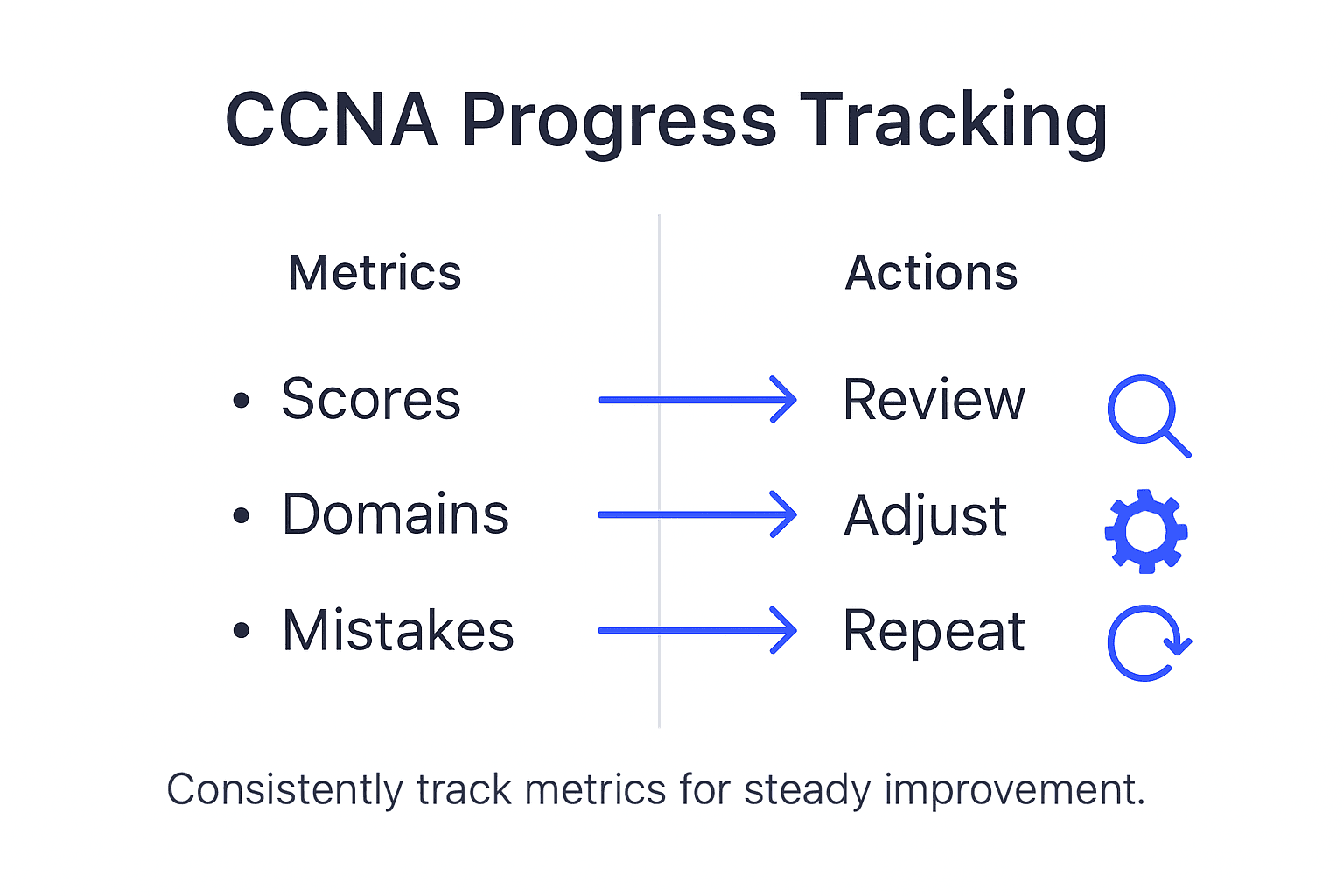
Developing a data driven study plan allows you to monitor your performance, identify knowledge gaps, and make strategic adjustments. Start by establishing baseline metrics through comprehensive practice exams that cover all six CCNA exam domains. Create a detailed spreadsheet or use digital tracking tools to record your scores, time spent studying, and performance in specific topic areas such as network fundamentals, IP connectivity, network access, IP services, security, and automation. Calculate your average performance percentage in each domain and use this data to prioritize your study efforts.
Regularly reassess and recalibrate your study strategy based on your tracking results. If you consistently score below 70% in network security or routing protocols, allocate more focused study time to those areas. Use adaptive learning techniques that involve revisiting challenging topics, watching targeted video tutorials, completing additional practice questions, and engaging in hands on lab exercises. Set realistic weekly goals that are specific, measurable, and aligned with your overall exam preparation timeline. Remember that an effective study plan is flexible and responsive to your learning progress.
To optimize your study progress, here’s a summary of effective CCNA exam tracking metrics:
| Metric Tracked | Why It Matters | Optimal Review Frequency |
|---|---|---|
| Domain Scores | Identifies weak areas by topic | After every full practice test |
| Time Spent per Section | Reveals pacing issues | Weekly |
| Error Log Entries | Highlights recurring mistakes | After each study session |
| Progress Over Time | Measures overall improvement | Bi-weekly |
Pro tip: Schedule a weekly review session where you analyze your study metrics, celebrate improvements, and ruthlessly eliminate study methods that are not delivering measurable results.
Elevate Your CCNA Preparation with PlanetCert
The journey to first-attempt CCNA success starts with overcoming key challenges like building a realistic practice environment, mastering complex subnetting and routing protocols, and effectively simulating real exam conditions. This guide highlights how crucial it is to identify your weak areas and track your progress with precision. At PlanetCert, we understand these pain points and offer tailored solutions that align perfectly with your learning goals. Our extensive library of verified practice tests and real exam questions mirrors the official CCNA exam format, helping you gain confidence and sharpen your troubleshooting skills.
Ready to turn practice into exam success Join thousands of aspiring networking professionals who trust PlanetCert.com for realistic exam simulators detailed explanations and a money-back guarantee that ensures your investment pays off. Don’t let uncertainty hold you back Access our comprehensive CCNA practice tests that cover all key exam domains now and take control of your certification journey. Your first-attempt success is closer than you think with the right resources and strategic study plan—start today and experience the difference!
Frequently Asked Questions
How can I set up my CCNA practice environment effectively?
To set up your CCNA practice environment, download Cisco network simulation tools like GNS3 or Packet Tracer for virtual networking. Create realistic network scenarios to practice key concepts such as subnetting and routing protocols, ensuring you focus on hands-on exercises that align with the CCNA exam blueprint.
What types of practice exam resources should I select for CCNA preparation?
Look for comprehensive practice exams that cover all CCNA domains and include detailed explanations for each question. Prioritize resources that feature different question formats, such as multiple-choice and simulations, and ensure they provide performance tracking to identify your weak areas.
How should I simulate the actual CCNA exam experience during practice?
Simulate the actual CCNA exam by creating test conditions that resemble the real environment, including a timed setting with 120 questions to be completed in 120 minutes. Use practice tests and network simulation tools to challenge your technical knowledge and troubleshooting skills in a realistic manner.
What is the best way to review answers and analyze mistakes after practice exams?
Review your incorrect answers by examining the reasoning behind each mistake, focusing on the underlying networking concepts. Create an error log to categorize your mistakes by topic area, and develop targeted learning strategies to improve in those areas.
How can I track my progress and adjust my CCNA study plan effectively?
To track your progress, establish baseline metrics through comprehensive practice exams and create a system for recording scores and time spent on each domain. Regularly reassess your study strategy based on your performance data, adjusting your focus to improve scores in weaker areas and ensuring a flexible approach to your study plan.
Discussion
Community Discussion
Sign in to leave a comment and access more free questions.