
Build Realistic Microsoft Exam Labs Without Azure Spend
You've booked your Microsoft exam, you've read the objectives twice, and now you need to get your hands dirty. The problem? Every tutorial you find assumes you're happy spinning up Azure resources that start billing from day one. A handful of misconfigured VMs or a forgotten storage account can easily eat through a credit card balance before you even sit the test. If you're studying for a role-based cert like AZ-104, AZ-500, or SC-200, you need real environments to practise against, but you shouldn't have to pay cloud rates to build them.
This guide walks through every free or near-free lab option available right now — Hyper-V, Azure's free tier, the Microsoft 365 developer programme, and Wireshark for network-level objectives — so you can pick the approach that matches your exam and your budget. Along the way, I'll flag the real limits of each option, share the gotchas that trip people up, and show where timed practice tests fit once your lab is running.
Why hands-on labs beat reading alone
Microsoft's role-based exams aren't knowledge quizzes. They're scenario-driven. AZ-104 asks you to diagnose a misconfigured NSG; SC-200 expects you to interpret KQL queries in a live Sentinel workspace. Reading about those tasks in a study guide helps, but your brain encodes procedural knowledge differently when you've actually clicked through the steps. Lab time also exposes the gaps that multiple-choice questions hide. You might know that Azure Bastion exists, but do you know how long the deployment takes, what resource group it lands in, or what happens when you forget to attach the right subnet? Those details show up in exam scenarios, and they only stick when you've lived through them.
The good news is that Microsoft gives you more free tooling than most candidates realise. You don't need a corporate Azure subscription or a beefy homelab. You need a plan, one or two tools, and a few hours a week.
Hyper-V and Windows Sandbox on your own machine
If you have a Windows 10 Pro or Windows 11 Pro machine, you already own a hypervisor. Hyper-V ships with the OS — you just need to enable it.
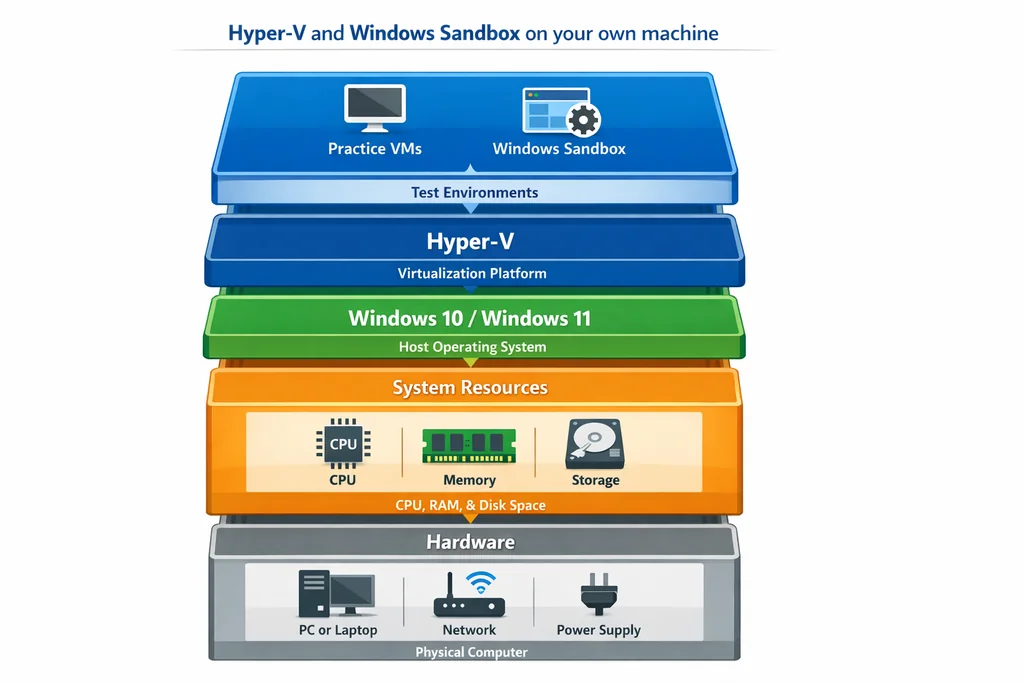
Enabling Hyper-V
Open PowerShell as Administrator and run:
Enable-WindowsOptionalFeature -Online -FeatureName Microsoft-Hyper-V -All
Reboot when prompted. After restart, open Hyper-V Manager from the Start menu. You'll see your host machine listed, ready to create virtual switches and VMs.
What you can build
For exams like AZ-800 and AZ-801 (Windows Server hybrid), Hyper-V is the obvious choice. Spin up two or three Windows Server Evaluation VMs — Microsoft provides free 180-day ISO images — and you can practise:
- Active Directory Domain Services promotion and replication
- Group Policy creation and enforcement
- DNS and DHCP configuration
- Failover Clustering
- Storage Spaces Direct
Each VM needs roughly 2 GB of RAM and 40 GB of disk. On a machine with 16 GB of total memory, you can comfortably run three server VMs simultaneously alongside your host.
For cloud-focused exams (AZ-104, AZ-305), Hyper-V works well as a client simulation environment. Install Windows 10/11 evaluation images and test Azure AD Connect sync scenarios, Intune enrolment flows, or VPN gateway configurations using the local VM as the endpoint.
Windows Sandbox for quick tasks
If you only need a disposable environment to test a single concept — running a PowerShell script, checking a Group Policy effect, or verifying a certificate chain — Windows Sandbox is lighter than a full VM. Enable it the same way you enabled Hyper-V (it uses the same optional features infrastructure). The sandbox resets every time you close it, so nothing carries over, which is perfect for quick verification tasks during study sessions.
Real limits
Hyper-V runs x86 Windows and Linux guests well, but it won't give you Azure-native services. You can't deploy an Azure App Service, configure an Azure Front Door, or build a Logic App on your laptop. For those, you need at least some cloud resources — which is where the free account comes in.
Azure free account and its real spending limits
Microsoft's free Azure account gives new subscribers $200 (roughly £160) in credits valid for 30 days plus a set of services that remain free for 12 months. That sounds generous, and it is, but the boundaries matter.
What stays free for 12 months
The permanently free-tier services include:
| Service | Free allowance |
|---|---|
| Linux VMs (B1s) | 750 hours/month |
| Windows VMs (B1s) | 750 hours/month |
| Managed Disks (64 GB) | 2 disks |
| Azure SQL Database | 250 GB |
| Bandwidth | 15 GB outbound/month |
| Azure Functions | 1 million requests/month |
| Azure Cosmos DB | 1000 RU/s |
750 hours of a B1s VM sounds like a lot, but a single VM running 24/7 consumes roughly 720 hours per month. You get one always-on VM, not a fleet. For lab purposes, that's usually enough — you can build your environment, snapshot it, and deallocate the VM between study sessions to stay within limits.
Where candidates overspend
The common trap is creating resources that aren't in the free tier. A Standard-tier public IP address, a managed disk larger than 64 GB, or an Azure Bastion host (which starts at around $0.19/hour) will burn through credits fast. Logging and monitoring services like Log Analytics can also accumulate charges quietly.
My advice: set up a budget alert at £0 in the Azure Cost Management portal the moment you create your account. You'll get email notifications the moment spend begins, so nothing catches you off guard.
Best use for exam labs
Azure's free tier works brilliantly for practising:
- AZ-104: Resource groups, RBAC, NSGs, storage accounts, and basic VM deployment
- AZ-500: Microsoft Defender for Cloud, conditional access policies, and Key Vault
- AZ-305: Design scenarios where you deploy reference architectures using free-tier resources
After your 30-day credit window expires, the 12-month free services continue. You can keep a single lab VM alive at no cost for an entire year.
What you can't do for free
Anything that requires dedicated or premium tiers — Azure Firewall, Application Gateway v2, ExpressRoute, AKS with multiple node pools — will cost money even on the free account. For those objectives, use Microsoft's sandbox environments (available through Microsoft Learn modules) rather than your own subscription.
Microsoft 365 developer programme
If your exam touches Microsoft 365 — think MS-900, MS-500, SC-300, or the newer SC-400 — the Microsoft 365 developer programme is the single best free resource you're probably not using.
What you get
Signing up at the developer programme portal (with a personal Microsoft account) gives you a fully provisioned Microsoft 365 E5 sandbox tenant. This includes:
- 25 E5 user licences
- SharePoint Online with sample data
- Exchange Online mailboxes
- Microsoft Teams
- Azure AD (now Entra ID) with P2 features
- Microsoft Purview compliance tools
- Power Platform access
The tenant renews automatically as long as you keep using it. Microsoft's documentation says activity keeps it alive; in practice, logging in once every few months is enough.
What to practise
For SC-300 (Identity and Access Administrator), you can build out:
- Conditional access policies with named locations and risk-based rules
- PIM (Privileged Identity Management) role assignments
- Custom security attributes and dynamic groups
- B2B and B2C guest user flows
For SC-400 (Information Protection Administrator), create sensitivity labels, retention policies, and DLP rules in the Purview compliance centre.
For MS-500 (Security Administrator), configure Defender for Office 365 policies, safe attachments, and safe links.
The beauty of the developer tenant is that every Microsoft 365 admin portal page is live and fully functional. You're not reading about these features — you're clicking through real production-like interfaces.
One caveat
The developer tenant doesn't include Azure subscriptions beyond the basic Azure AD tier. If your exam expects you to integrate M365 with Azure services (like deploying a Log Analytics agent to an Intune-managed device), you'll still need the Azure free account alongside it.
Packet capture and network analysis with Wireshark
Several Microsoft exams include network troubleshooting objectives. AZ-700 (Azure Network Engineer) is the obvious one, but even AZ-104 and AZ-500 expect you to understand how traffic flows through VNets, how NSG rules interact, and what a failed TLS handshake looks like on the wire.
Wireshark is free, open-source, and runs on your Hyper-V host machine. You can capture traffic flowing through a virtual switch to see exactly what your VMs are exchanging.
Quick setup
- Install Wireshark on your host machine with the Npcap driver (the installer offers this).
- In Hyper-V Manager, create an External Virtual Switch bound to your physical NIC.
- Attach your VMs to that switch.
- Open Wireshark and capture on the virtual switch interface.
Now you can watch DNS queries from your test VM, inspect TLS certificate exchanges, or trace RDP connection handshakes. For AZ-700, this is invaluable when studying load balancer health probes, VNet peering traffic, or VPN gateway negotiation.
If you want a deeper walkthrough on using Wireshark specifically for Microsoft exam scenarios, we cover that separately.
When to use it
Wireshark lab work fits best when you're studying:
- Network Security Group flow logs and rule evaluation order
- Azure Firewall application and network rule processing
- ExpressRoute and VPN tunnel establishment
- TLS inspection scenarios for AZ-500
You won't need Wireshark for identity, compliance, or pure Azure resource management topics. But for anything where understanding the packet matters, an hour of targeted capture is worth ten hours of textbook reading.
Putting it together: matching lab tools to your exam
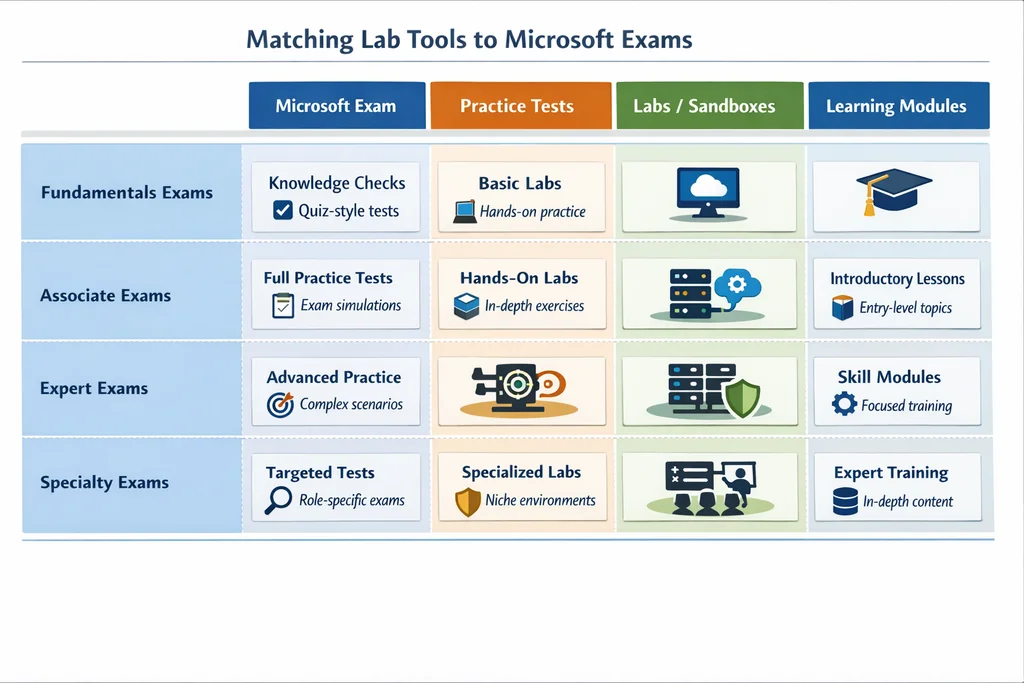
Not every exam needs every tool. Here's how I'd map the main options to common Microsoft certs:
| Exam | Hyper-V | Azure free tier | M365 Dev tenant | Wireshark |
|---|---|---|---|---|
| AZ-104 (Azure Administrator) | Useful for AD Connect | Essential | Not needed | Helpful for NSG labs |
| AZ-305 (Azure Solutions Architect) | Server labs for hybrid designs | Essential | Not needed | Rarely needed |
| AZ-500 (Azure Security Engineer) | Client endpoint testing | Essential for Defender | Optional for M365 security | TLS and firewall labs |
| AZ-700 (Azure Network Engineer) | Network simulation | Essential for VNet work | Not needed | Highly recommended |
| MS-500 (M365 Security Admin) | Endpoint management | Optional | Essential | Not needed |
| SC-300 (Identity Admin) | AD Connect sync labs | Basic Azure AD | Essential | Not needed |
| SC-400 (Information Protection) | Not needed | Not needed | Essential | Not needed |
| AZ-800/801 (Windows Server) | Essential | Optional | Not needed | DNS and DHCP capture |
The pattern is clear: most candidates need Azure's free account plus one other tool. The exact combination depends on whether your exam skews cloud infrastructure, identity and compliance, or networking.
Validating your lab work with practice tests
Building a lab is half the equation. The other half is confirming that the hands-on knowledge you've built maps to the actual exam format. This is where structured practice tests come in. A good practice exam forces you to apply what you lab-tested in a timed, scenario-driven environment — the same conditions you'll face at the testing centre. If you're studying for a cloud or developer certification, working through Cloud Digital Leader sample questions or Cloud Security Professional practice tests can help you spot gaps that lab work alone doesn't expose. Candidates preparing for developer-track certs benefit from structured question sets like the OmniStudio Developer sample questions, which mirror the scenario-based format you'll face on exam day.
Ready to test your readiness? Once your lab environment is running, pair it with timed practice exams to lock in what you've learned. Browse PlanetCert's exam catalogue and pick up a practice test bundle for your target cert.
Questions candidates ask about Microsoft exam labs
Can I pass a Microsoft exam without building a lab?
For fundamentals-level exams like AZ-900 or MS-900, most candidates pass with study materials alone. For associate and expert-level exams, lab experience significantly improves your chances. Microsoft designs scenario questions that assume you've interacted with the portal, not just read about it.
Is the Azure free account really free, or will I get charged?
The 12-month free-tier services don't cost anything as long as you stay within the listed allowances. The $200 credit covers non-free services for 30 days. Set up a cost alert on day one and deallocate resources when you're not studying. Hundreds of thousands of candidates use it without surprise bills.
How much RAM do I need on my laptop for Hyper-V labs?
8 GB is tight but workable with one VM. 16 GB lets you comfortably run two or three VMs alongside your host. If you only have 8 GB, consider using Windows Sandbox for quick tasks and Azure for anything needing multiple machines.
Does the M365 developer tenant expire?
It renews based on activity. Log in every few months, create some test data, or run a PowerShell script against the tenant. Microsoft has honoured these free tenants for years. If you stop using it entirely, it may eventually deactivate, but regular study activity keeps it alive.
Can I use VirtualBox instead of Hyper-V?
Yes, but not alongside Hyper-V — they conflict. If you prefer VirtualBox, disable Hyper-V first. For most Windows Pro users, Hyper-V is simpler because it's a Windows feature, not a third-party install.
Keep building your knowledge — explore these related guides:
- Cloud Digital Leader sample questions
- Cloud Security Professional practice tests
- OmniStudio Developer sample questions

Discussion
Question Comments
0 comments·0 participantsSign in to leave a comment and access more free questions.