

CompTIA A+ Practice Test: How to Use 220-1201 and 220-1202 Practice Exams in 2026
CompTIA A+ is the current entry-level CompTIA certification track for IT support, and the live V15 series requires two exams: 220-1201 and 220-1202.[1] If you are using a CompTIA A+ practice test in 2026, it should help you prepare for both cores, not just generic “A+” trivia, and it should train you to work under the same 90-minute conditions CompTIA uses for each exam.[2]
Last verified: March 10, 2026. This article was refreshed against CompTIA’s current A+ V15 page, CompTIA’s objectives overview, CompTIA’s OnVUE testing-space requirements, and learning-science references on practice testing.[1][2][3][4][5]
Quick Summary
| Key Point | Explanation |
|---|---|
| Current A+ structure | A+ V15 requires two separate exams, 220-1201 and 220-1202, so your practice routine should deliberately cover both cores.[1] |
| Best practice-test workflow | Use short domain drills first, then timed mixed sets, then full practice runs when your weak areas stabilize. |
| Best downstream pages | Use 220-1201 exam details, 220-1201 sample questions, 220-1202 exam details, and 220-1202 sample questions as your core drill assets. |
| When to schedule | Use the CompTIA exam schedule guide only after your practice results are stable enough to justify a booking. |
Step 1: Set Up Your CompTIA A+ Practice Test Environment
Creating an optimal testing environment is crucial for maximizing your performance on the CompTIA A+ exam. Your goal is to simulate real testing conditions while ensuring a distraction-free workspace that meets the official testing requirements.
To set up your practice test environment, start by selecting a quiet room with strong internet connectivity. Clear your workspace completely, removing any unauthorized materials like notes, additional devices, or reference books. Position your computer or testing device in a well-lit area with neutral background lighting that allows clear webcam visibility. Ensure your desk is clean and organized with only essential items like your identification, water bottle, and permitted testing equipment.

Prepare your technology in advance by checking your computer meets the exam software requirements, updating your operating system, and testing your internet connection. Close all unnecessary browser tabs and applications to prevent potential interruptions during your practice test. Have your official identification ready and position your webcam to capture a clear, unobstructed view of your workspace.
Here’s a summary of essential components for a successful CompTIA A+ practice test environment:
| Component | Purpose | Impact on Exam Performance |
|---|---|---|
| Quiet Room | Removes distractions | Improves focus and reduces stress |
| Strong Internet | Ensures stable connection | Prevents technical interruptions |
| Clean Workspace | Meets exam rules | Avoids compliance issues |
| Proper Lighting | Enables clear webcam view | Satisfies identity verification needs |
| Updated Technology | Runs exam software smoothly | Minimizes risk of system errors |
Pro tip: Practice your exam setup the day before your actual test to identify and resolve any potential technical issues in advance.
Step 2: Use Resources That Match 220-1201 and 220-1202
Practice resources only help if they match the live A+ structure. CompTIA’s current A+ series is V15, and the certification requires two separate exams: Core 1 (220-1201) and Core 2 (220-1202).[1] That means a good A+ practice test workflow should expose you to both hardware / device / network support questions and operating-system / security / troubleshooting questions.
Start with the exact exam assets you plan to use: 220-1201 exam details, 220-1201 sample questions, 220-1202 exam details, and 220-1202 sample questions. If you are still deciding whether A+ is the right first move, review A+ vs Network+ before building the rest of your plan.
Avoid treating “verified questions” as the goal. The goal is coverage and explanation quality. The best resources make the current version explicit, show which core or objective a question belongs to, and give you enough explanation to turn every miss into a study task. That matters more than sheer question count. For the broader method behind that, use our A+ practice exam strategy guide.
| Resource Type | Best For | Distinct Benefit |
|---|---|---|
| Core-specific practice sets | Separating 220-1201 from 220-1202 gaps | Prevents the two cores from blending into one vague study plan |
| Timed mixed sets | Readiness checks | Builds pacing and test-management skill |
| Answer explanations | Review after each run | Turns misses into concrete next-study actions |
| Error logs | Tracking repeated mistakes | Shows whether the problem is knowledge, reading, or timing |
Pro tip: Track your scores separately for Core 1 and Core 2. A combined “A+” score hides where your real weaknesses are.
Step 3: Implement Exam Simulation and Track Performance
Successfully preparing for the CompTIA A+ exam requires more than just studying materials you must create an authentic testing experience that closely mimics the actual certification exam. OnVUE and realistic practice platforms offer sophisticated tools to simulate real exam conditions and provide detailed performance insights.
To implement an effective exam simulation strategy, configure your practice tests to match the official exam parameters. This means setting strict time limits that mirror the 90-minute limit used for each A+ core exam, and creating an environment that replicates test day conditions. Use practice platforms that randomize question order and include the same mix of multiple choice, performance based, and scenario driven questions you will encounter during the actual certification test. Pay close attention to your performance metrics tracking your score, time spent per question, and identifying consistent areas of strength or weakness across different exam domains.
Develop a systematic approach to reviewing your practice test results. After each simulation, conduct a thorough analysis of your performance examining not just your overall score but drilling down into specific technical domains. Create a targeted study plan that addresses knowledge gaps highlighted by your practice test analytics, focusing additional study time on areas where you consistently struggle.
Pro tip: Record your practice test scores in a dedicated spreadsheet, tracking your progress over time to visualize your improvement and maintain motivation during your certification preparation journey.
Step 4: Review Answers with Detailed Explanations and Flashcards
Maximizing your CompTIA A+ exam preparation requires a strategic approach to reviewing practice test answers that goes beyond simple right or wrong assessments. Comprehensive answer reviews are essential for transforming incorrect responses into valuable learning opportunities that reinforce your technical knowledge.
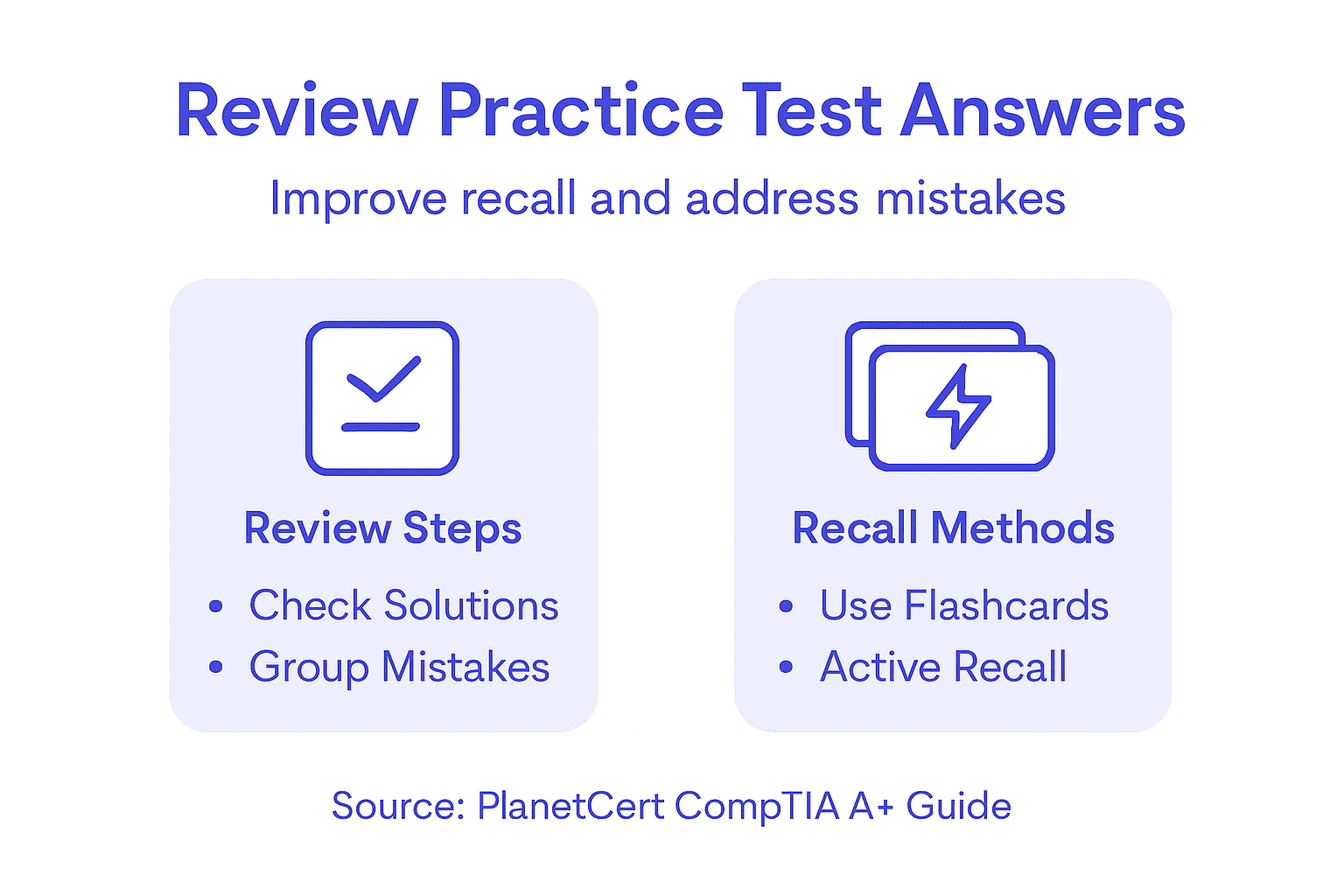
Develop a systematic method for analyzing each practice test question. When you encounter an incorrect answer, do not simply move on. Instead, carefully read the detailed explanation, understanding why your selected response was wrong and why the correct answer is the most appropriate solution. Break down the technical concepts behind each question, paying special attention to the underlying principles that inform the correct response. Create your own flashcards for complex topics or recurring challenging concepts, using both the question text and the comprehensive explanation as your study reference.
Utilize active recall techniques when reviewing your practice test answers. This means not just passively reading explanations but actively engaging with the material. Try to explain the concept out loud, recreate the technical scenario in your mind, or even sketch out network diagrams or hardware configurations that relate to the exam question. By transforming your review process into an interactive learning experience, you will build deeper understanding and muscle memory for the technical knowledge required to pass the CompTIA A+ certification exam.
Pro tip: Group similar incorrect answers into themed study sets, creating targeted review sessions that address specific knowledge gaps across different exam domains.
Step 5: Verify Readiness for the CompTIA A+ Certification Exam
Readiness for A+ is not one magic score. It is a pattern: stable timed results, cleaner review notes, and enough consistency across both cores that you can justify a booking. CompTIA’s official A+ page is the source of truth for the current exam structure, while your own practice history should decide when you schedule.[1]
Check readiness separately for 220-1201 and 220-1202. If one core is materially weaker, keep drilling that one instead of averaging the two into false confidence. A practical readiness review includes: repeated timed runs, question-review notes grouped by domain, and a clear decision on whether your next study block belongs in hardware/device work, operating systems, security, software troubleshooting, or operational procedures. Use the CompTIA exam schedule guide only after those signals are stable.
When you are close to booking, simulate the real setup you expect to use. If you plan to test online, follow CompTIA’s OnVUE workspace rules and system requirements instead of improvising on exam day.[3] If you are still unsure whether A+ or Network+ is the better first investment, revisit A+ vs Network+ before paying for both cores.
Pro tip: Make your final readiness call from trends, not one good day. Stable performance across both cores is a better signal than a single high mock-exam score.
Build A+ Readiness With Better Practice Loops
A+ practice tests work best when they help you decide what to do next. Use them to separate Core 1 from Core 2 weaknesses, identify whether the issue is knowledge or misreading, and decide whether you are ready for a timed mixed run or still need targeted drills. If you want the broader method behind that, use our practice-test strategy guide.
For A+, the most useful next steps are usually straightforward: review 220-1201 exam details, work through 220-1201 sample questions, do the same for 220-1202 and 220-1202 sample questions, then book only when your results across both cores are stable enough to justify the date.
PlanetCert is strongest when you use it as a workflow: objective review, short core-specific set, explanation review, error log, then another timed run. If your next step is operational rather than academic, use the live CompTIA exam schedule guide after your A+ practice test results justify booking.
Frequently Asked Questions
How can I create an optimal practice test environment for the CompTIA A+ exam?
Create a quiet workspace, use the same type of system you expect on test day, and if you plan to test online, follow CompTIA’s OnVUE workspace and system rules instead of guessing.[3]
What resources should I access for authentic CompTIA A+ practice test questions?
Use resources that explicitly map to 220-1201 and 220-1202, not generic A+ copy. Start with the official A+ V15 page and then drill into core-specific exam details and sample questions.[1]
How do I effectively implement exam simulation for the CompTIA A+ test?
Keep Core 1 and Core 2 results separate, run timed sets that reflect the 90-minute exam window for each core, and review misses by domain before you retest.
Why is it important to review practice test answers with detailed explanations?
Because retrieval practice works best when feedback is specific. The explanation tells you whether the problem was knowledge, reasoning, or careless reading, which is what allows the next study block to be useful.[4][5]
How can I verify my readiness for the CompTIA A+ certification exam?
Look for stable performance across both cores, not one headline score. If your 220-1201 and 220-1202 results, timing, and review notes are steady, then it is reasonable to move into booking.
What should I do if I identify knowledge gaps during my practice tests?
Turn them into a core-specific review plan. Use the error log to decide whether the next session belongs in hardware, operating systems, software troubleshooting, security, or procedures, then retest only that weak slice.
Sources Used in This Refresh
- [1] CompTIA A+ Core 1 and Core 2 V15 page
- [2] CompTIA A+ objectives overview
- [3] CompTIA OnVUE testing-space requirements
- [4] APS review of effective learning techniques
- [5] Retrieval practice produces more learning than elaborative studying
Recommended

Discussion
Question Comments
0 comments·0 participantsSign in to leave a comment and access more free questions.