
Wireshark Packet Captures That Actually Help You Pass Network Exams
If your exam study plan treats Wireshark as a checkbox — "install it, watch a five-minute tutorial, move on" — you'll enter the test centre with a false sense of readiness. The tool appears on CCNA, CompTIA Network+, and WCNA objectives not as trivia, but as a practical skill. Exam questions rarely ask you to recite menu paths. They show you packet summaries, output fragments, or trace snippets and expect you to spot what's broken. Wireshark, as the Wireshark FAQ puts it, is the world’s most popular network protocol analyzer, used by network professionals, security experts, and developers — so it’s no surprise that certification vendors expect you to know how to drive it.
This guide replaces passive tutorial-watching with capture exercises tied directly to exam blueprints. You'll take a real capture file, apply the exact filter syntax the exam expects, decode the output, and recognise the distractor patterns that show up in practice tests. You'll finish with a sharp, test-ready instinct for protocol analysis.
From Captures to Concepts: Why This Method Works
Most Wireshark tutorials walk you through colour-coding rules and the default interface. That's fine for troubleshooting a production network. Exam candidates need a narrower, more deliberate kind of practice. Every packet you open should connect back to a domain objective — the TCP three-way handshake for CCNA's IP services domain, an ARP transaction for Network+ address resolution troubleshooting, or a malformed HTTP request for WCNA's application-layer analysis.
The CCNA 200-301 V2.0 exam topics now include explicit references to interpreting packet captures. Network+ (N10-009) folds Wireshark into troubleshooting Ethernet and Wi-Fi performance. WCNA is, of course, built entirely around the tool. If you're not mapping your captures to those objective documents, you're drilling in the wrong direction.
When you learn to read a packet instead of just a textbook paragraph, the underlying protocol becomes concrete. You internalise sequence numbers, flag fields, and header option bytes as real structures you've seen, not abstract definitions. That difference shows up the moment an exam question asks you to "identify the second step in the TCP handshake based on the following capture output."
Gearing Up Your Lab (Without Overcomplicating It)
You need a capture file repository and a clean lab environment — nothing more. The Wireshark wiki hosts sample captures, and you can generate your own traffic with a simple topology: two virtual machines, a virtual switch, and a web server or FTP server. GNS3 or VMware Workstation works well.
Grab the latest stable Wireshark release. As of July 2026, that's version 4.6.7, which addressed a dozen security flaws alongside the usual protocol parsing improvements. The wireshark(1) manual page confirms the key flags you'll need: -r to read a capture file, -Y for a display filter, and -w to write a filtered subset. Get comfortable with them now — the WCNA exam expects you to know their tshark equivalents. If you're not yet comfortable at the command line, start with the GUI for the exercises, then replay every filter in tshark. The feedback loop is tighter that way.
Create a dedicated folder structure on your machine:
~/exam-captures/ ├── ccna/ ├── networkplus/ ├── wcna/ └── scratch/
Order matters less than the habit of saving captures by objective. When you revisit a DCHP sequence a week later, you'll find it in seconds. Keep a separate text file in each folder where you log the filter syntax and your decode notes. A week later, those notes will be your fastest review tool.
Bookmark the Wireshark Display Filter Reference — it lists every protocol field you can filter on. You won't memorise all of them, but knowing how to search that reference in under 10 seconds is a skill the exam indirectly tests.
CCNA 200-301: Capture Exercises That Match the Blueprint
The 200-301 exam splits roughly 20% of its weight across Network Fundamentals, with another 20% on IP Connectivity and IP Services. Each of those domains gives you a concrete capture target, and working through actual .pcap files is the fastest way to turn objective bullet points into automatic knowledge.
ARP and the Broadcast Domain
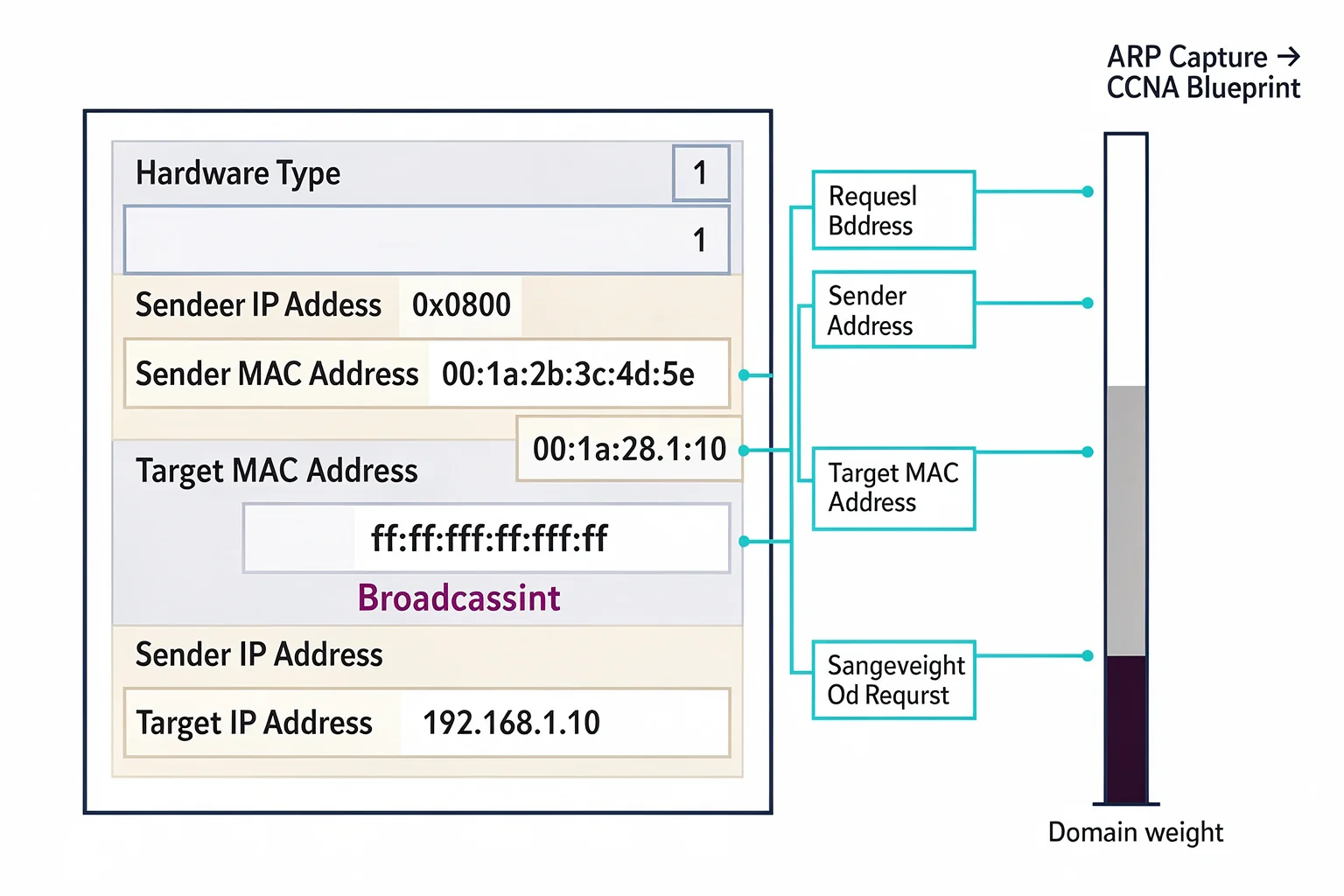
Objective 1.6 expects you to compare TCP and UDP, but exam questions frequently smuggle ARP into scenario-based items. Open a capture that holds a simple ping exchange. Apply the display filter:
arp
Look at the initial ARP request. The destination MAC is ff:ff:ff:ff:ff:ff — that's your broadcast. The sender hardware address and sender protocol address tell you which host initiated the mapping. A common distractor on practice tests: they'll show an ARP reply and ask you to identify the broadcast address. An ARP reply is unicast; it goes directly to the requester's MAC. If you've stared at enough packet details, that mistake becomes unmissable.
TCP Handshake and Flag Interpretation
Capture an HTTP session (or any TCP-based application). The filter tcp.flags.syn==1 and tcp.flags.ack==0 isolates the initial SYN. Follow it with the SYN-ACK (tcp.flags.syn==1 and tcp.flags.ack==1). Now view the sequence numbers. The CCNA will ask you which packet completes the handshake, what the relative sequence number tells you, or why the window size matters for flow control. Use the Statistics → Flow Graph to visualise the handshake, then close the graph and try to answer a question cold.
I've seen candidates get tripped up by a question that shows a three-way handshake but then asks why the fourth packet in the capture has the RST flag set. If you routinely examine the TCP stream until the connection closes, you'll recognise the abrupt reset as a server-side refusal rather than a normal FIN termination. That's not something you learn from a textbook table.
Routing Protocol Adjacency: OSPF Hello Capture
IP Connectivity objectives require you to interpret OSPF operations, including neighbour adjacency. Grab a capture from a network running OSPF and filter for:
ospf.msg == 1
That isolates Hello packets. Expand the OSPF header and note the Area ID, Hello Interval, and Router Dead Interval. If two neighbours show different values for any of those fields, an adjacency will not form. The exam often presents a capture snippet with an OSPF hello and asks why the neighbour state is stuck in INIT. The answer is usually right there in the mismatch. Replay the capture while changing the interface MTU or subnet mask on one side of your lab and watch the hello packets drift apart. The pattern becomes second nature.
CompTIA Network+ (N10-009): Troubleshooting with Packets
The Network+ exam now has a dedicated domain for Network Troubleshooting (about 22% of the exam). Wireshark becomes your primary evidence-gathering tool. The CompTIA Network+ practice test questions we've reviewed often embed packet-level clues inside otherwise generic scenario descriptions.
Duplicate ACKs and Retransmissions
Track down a capture where packet loss creates an imperfect TCP stream. Apply the filter:
tcp.analysis.duplicate_ack
The Info column will show "[TCP Dup ACK]" entries. Count them. If you see three identical ACKs with no new data arriving, the sender likely triggers fast retransmit — a concept Network+ expects you to link to congestion avoidance. Practice connecting the dots: which side is sending the duplicate ACKs? Which packet number is the missing segment? Trace forward and backward. Then create your own scenario: spin up two VMs, fire iperf between them, and drop a packet artificially with a firewall rule. The retransmission pattern will stick.
DHCP DORA in Four Packets
Find or capture a DHCP lease renewal. The filter bootp isolates the four-message exchange: Discover, Offer, Request, Acknowledge. A typical Network+ question might present the DORA sequence and ask which message uses the broadcast destination IP 255.255.255.255. The Discover and Request are broadcast; the Offer and ACK are unicast. But the key detail is that the decapsulated IP destination in the Discover packet is all-ones. If you've applied bootp.option.dhcp_message_type as a display filter column, you score that point. Pay attention to the relay agent field — if a capture shows a non-zero giaddr, a DHCP relay was involved, which often confuses candidates about subnet scope.
MTU Issues and Fragmentation
A common Network+ troubleshooting objective involves Path MTU discovery. Capture an ICMP exchange with a large ping that exceeds the MTU. Apply ip.flags.df == 1 to see packets with the Don't Fragment bit set, then look for the ICMP "fragmentation needed" messages that follow. The exam might ask you to identify which device sent the ICMP type 3 code 4 message. Trace the source IP in Wireshark's packet list and you'll locate the bottleneck router. Then deliberately lower the MTU in your lab and run the same capture — the sequence of packets becomes unforgettable.
WCNA: The Filter-First Mindset
The Worldwide Certified Network Analyst (WCNA) exam — formerly Wireshark Certified Network Analyst — tests your ability to build display filters under time pressure. The open-book format doesn't make it easy. You might see a capture with hundreds of packets and a prompt requiring you to isolate a specific TCP conversation, then inspect a particular HTTP header value.
The WCNA sample questions reflect this. You'll often need two filters: one for the protocol, and one for the anomaly. For example:
http.request.method == "POST" && http.content_length < 50
That filters POST requests with tiny payloads — a hint that the server might be ignoring client data or an application is misbehaving. The exam doesn't ask "what is the filter for…" directly, because it's practical. Instead, it gives you a scenario and asks you to determine why a session failed. You decide the filter.
Practice filtering with unary comparisons. ip.addr != 10.0.0.1 seems straightforward, but it matches packets that don't have 10.0.0.1 in either source or destination. It also includes ARP packets, which don't carry an IP layer at all. WCNA candidates who rely on memorised filter snippets often miss the implicit protocol inclusion. Write the filter !(ip.addr == 10.0.0.1) instead if you need strict IP-layer matching. This nuance appears in troubleshooting simulations.
To build speed, set a timer. Pick a random sample capture from the Wireshark wiki, give yourself two minutes to filter down to the exact packet that answers a specific question (e.g., "What TLS cipher suite was negotiated?"), and then close Wireshark. Reproduce the filter discovery path mentally. The WCNA exam expects that kind of filter fluency — you simply won't have time to browse.
Distractor Patterns That Trip Up Exam Takers
Vendors use a few predictable traps. Learning to spot them directly in Wireshark makes them look amateurish on test day.

Port Confusion
A question shows a packet capture summary with source port 443 and destination port 53332. It asks "What application protocol is in use?" The unwary candidate sees 443 and answers HTTPS. But the source port is ephemeral; the destination port is 53332, which is the actual service port in this scenario — maybe a custom app. In Wireshark, the Protocol column always identifies the protocol based on the highest-layer dissector, but the exam might strip that column. Train yourself to ignore the source port; always identify the service by the destination port and the server-side IP.
Flags Without Context
A single TCP segment with the SYN and FIN flags set together is almost always malicious or caused by a bug. The question might ask what this indicates. If you've ever filtered for tcp.flags == 0x003 and stared at the rare black-and-red colouring, you'll instantly recall that SYN+FIN is a classic network scan signature, not a normal connection state.
TTL Misread
The TTL field can deceive you. A capture shows a packet with TTL 64 arriving at the server. The question asks: "How many routers did the packet traverse?" If the default TTL for the operating system is 64, then the answer is zero — it came from the local network. But if the default is 128, it traversed 64 routers. The exam expects you to know common OS defaults (Windows 128, Linux 64, Cisco 255). Keep a scapy or hping3 script handy to vary TTLs and watch the decodes.
ICMP Type and Code Misdirection
A capture shows an ICMP type 3 code 3 (destination unreachable, port unreachable) arriving from a server. The question asks, "What is the most likely cause?" The incorrect choice often blames a firewall or network outage, but code 3 specifically means the destination host is reachable but no application is listening on that UDP port. For a TCP SYN, you'd typically see a RST instead. Drill yourself on the common type/code pairs — the exam bank loves to swap codes 1, 3, 10, and 13 under the same type 3 umbrella.
Applying Your Analysis to Timed Practice
Building the capture library and filter reflexes is the first half. You still need to validate whether you can answer exam-style questions under pressure. That's where a dedicated practice test environment fills the gap.
When you work through a set of practice tests that include protocol-analysis items, the packet detail you've internalised turns into a direct advantage. You'll read a question about a DHCP failure, replay the DORA sequence in your head, and immediately rule out two incorrect answers. PlanetCert's practice tests are structured around the same objective-driven approach, so any question that references a capture or trace output mirrors the filter logic you've already exercised. The explanations that accompany each question frequently break down the exact field-level decode, which reinforces the analytical habit you built here.
Resist the urge to check the dissection pane during your first untimed run. Read the raw packet bytes, attempt a manual decode, and only then verify. On exam day, you won't have Wireshark open. You'll have only your memory of what a normal ARP reply looks like versus a gratuitous ARP, or the difference between a standard DNS query and a zone transfer attempt. That recall is what separates candidates who pass from those who retake.
More Prep for Your Certification Roadmap
browse the relevant exam page and purchase a practice test

Discussion
Question Comments
0 comments·0 participantsSign in to leave a comment and access more free questions.