

Certification Exam Prep Checklist: 15 Steps Before Test Day
Preparing for a certification exam goes beyond just studying. It's about managing logistics, reducing test anxiety, and ensuring you're ready for exam day. Here's a quick breakdown of what you need to know:
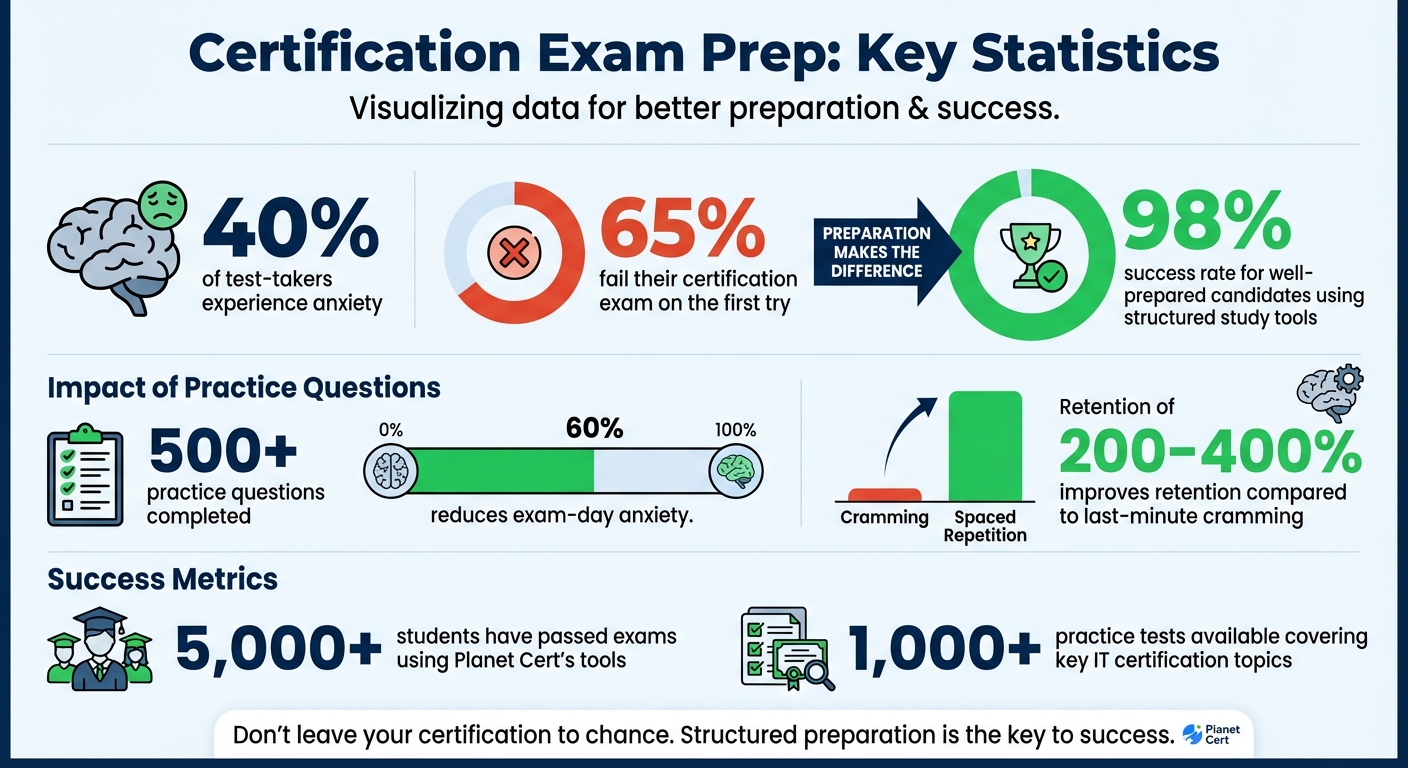
- 40% of test-takers experience anxiety, which can hurt performance. Completing over 500 practice questions can lower anxiety by 60%.
- Use tools like Planet Cert's Exam Simulator to replicate real exam conditions and track your progress.
- Review the exam blueprint to focus on high-weight topics and adjust your study plan based on practice test results.
- Set up a distraction-free testing environment and check your system requirements early to avoid technical issues.
- Ensure you have valid ID that matches your registration details, and practice the check-in process to avoid delays.
- Manage stress with techniques like deep breathing, light exercise, and proper sleep.
Certification Exam Preparation Statistics and Success Rates
Review Exam Requirements and Study Plan
Check Exam Objectives and Blueprint
The exam blueprint is your go-to guide for crafting a focused study plan. This official document, provided by the certification body, breaks down the topics you'll be tested on, the types of questions to expect, and how much each section contributes to your overall score. Make it a priority to download and carefully review this blueprint - it’s essentially your study map.
Keep in mind that not all topics carry the same weight. For example, in the Cisco CCNA 200-301 exam, the first three domains make up 65% of the total score, with Domain 3 alone accounting for 25%. Mubasher Nawaz, a Learning Path Author and Engineering Leader at Cisco, emphasizes:
"I recommend learners look at the exam blueprint and see what topics it covers and how they're weighted."
To maximize your preparation, use practice test results to identify weaker areas and adjust your focus accordingly. Prioritize reviewing high-weight domains when you're most alert - like early in the week - so you’re dedicating your energy to what matters most. This method ensures your study time is well spent.
sbb-itb-b03e171
IT Certs | How to get the most out of practice exams
Use Planet Cert Tools for Practice and Review
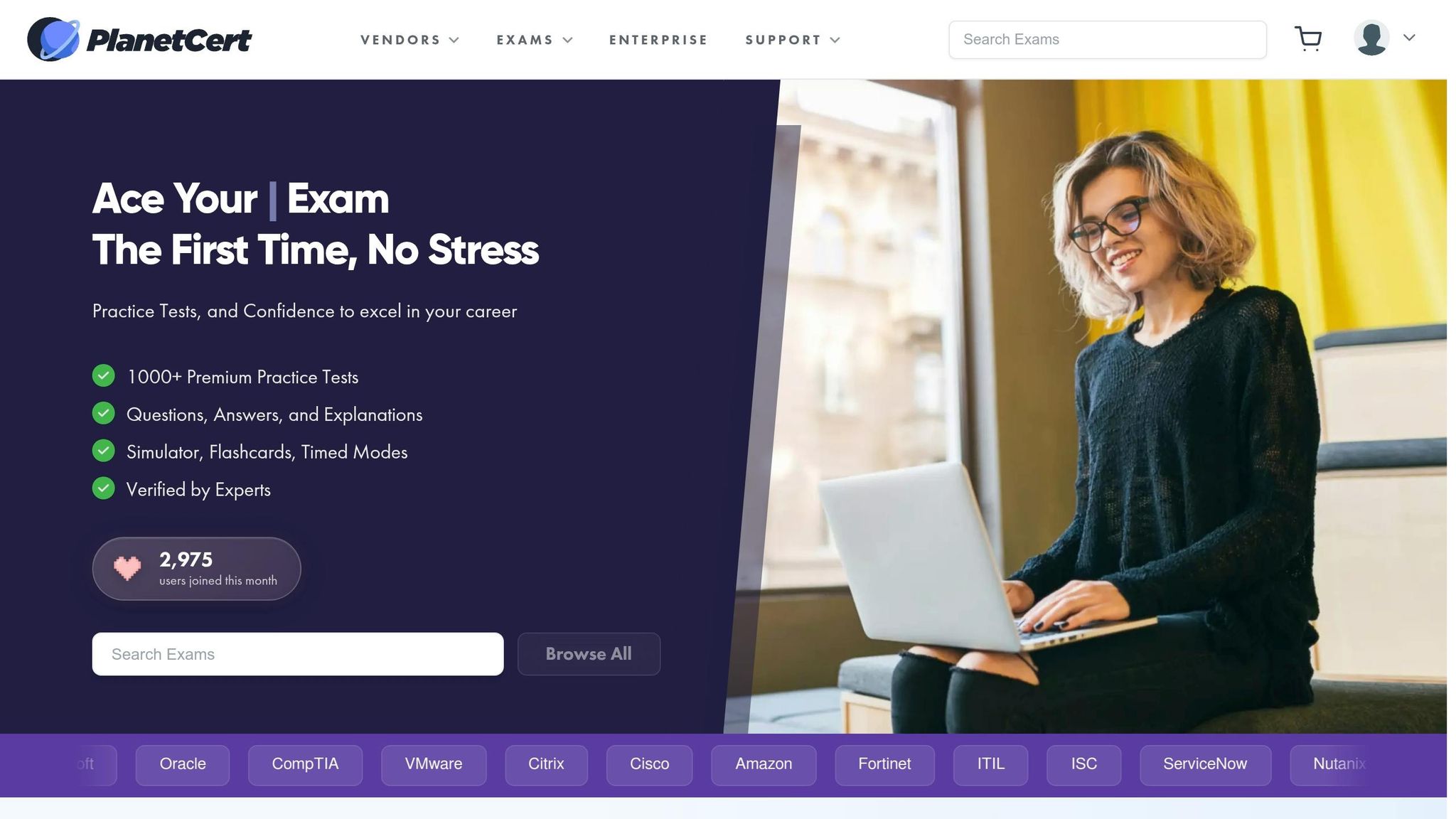
Planet Cert's study tools transform passive reading into active learning. With over 1,000 practice tests covering key IT certification topics, the platform provides various ways to assess your knowledge and address gaps before exam day. These tools are designed to fit seamlessly into your study routine.
Take Practice Tests with the Planet Cert Exam Simulator
The Exam Simulator replicates the real exam's timed, full-length format and interface. This helps you build the discipline to manage time constraints under pressure. As the Planet Cert Team explains:
"The web exam simulator reproduces timing and interface conditions found in vendor exams, turning practice into performance training."
This simulated experience gives you a clear picture of your readiness for the actual test. After each session, detailed explanations help you identify and strengthen weak areas. If your scores stagnate, use the performance data to adjust your study focus. The simulator is mobile-friendly, making it easy to fit practice into your schedule. For added flexibility, downloadable PDF study guides are available for offline use.
Study with Study Mode and Flashcards
Study Mode emphasizes active recall, a proven technique that strengthens memory by encouraging you to test yourself instead of just re-reading material. Research backs this up, showing that reviewing information at spaced intervals improves retention by 200–400% compared to last-minute cramming.
For flashcards, try the 20-minute rule: wait 20 minutes after learning new material before reviewing the cards. This approach helps reinforce memory. As you use the flashcards, recite the answer aloud before flipping the card to ensure you're actively retrieving the information. Once you've reviewed the material, track your progress with Review Mode to see how much you've improved.
Track Your Progress with Review Mode
Review Mode lets you revisit past attempts and analyze your mistakes. By examining performance metrics, you can refine your strategy and focus on areas that need improvement. For instance, identifying whether errors stem from misreading a question or confusing similar concepts can help you avoid repeating those mistakes. Detailed explanations for each question ensure you understand the root cause of errors, reinforcing your knowledge for exam day.
This method has proven effective for thousands of students. Over 5,000 individuals have passed their exams using Planet Cert's tools, with a reported success rate exceeding 98%.
Get Help from Brainy AI
Struggling with a tricky concept? Brainy AI is here to help. It can generate custom questions and explanations tailored to your needs. Whether you're clarifying confusing material, exploring topics in more depth, or creating alternate versions of questions, Brainy AI ensures you're not simply memorizing answers but genuinely understanding the principles behind them.
Set Up Your Testing Environment and Equipment
Technical hiccups can throw off your exam day, so it's smart to test your setup ahead of time. By ensuring everything runs smoothly, you can focus on the test itself without unnecessary distractions.
Check System Requirements
Your computer needs to meet specific technical standards to run the proctoring software. For starters, you'll need Windows 10/11 (64-bit, not in S Mode) or macOS 14 or later. It's best to avoid using work-issued computers since corporate firewalls and security settings often block the software.
Your setup should include a forward-facing webcam (minimum 640x480 at 10 fps), working speakers, and a microphone. A single monitor is required, with a resolution of at least 1024 x 768 in 16-bit color, though 1920 x 1080 in 32-bit color is recommended for better performance. Keep in mind that virtual machines, VPNs, proxies, and touch screens are not allowed. To avoid any power-related interruptions, make sure your device stays plugged in during the exam.
If you're using a Mac, you'll need to adjust your "Security & Privacy" settings to allow the proctoring software access to your camera, microphone, automation, and input monitoring. For those using an external monitor with a laptop, keep the laptop lid closed and set up an external keyboard, mouse, and webcam.
Test Your Internet Connection and Software
A solid internet connection is crucial. You'll need minimum speeds of 6 Mbps for downloads and 2 Mbps for uploads. Whenever possible, use a wired Ethernet connection instead of Wi-Fi to avoid sudden disconnections. If Wi-Fi is your only option, make sure others on your network aren't streaming videos or downloading large files during your exam.
Run your exam vendor's system test - like OnVUE - on the same computer and network you plan to use for the test. Do this at least a week before the exam and again 2–3 days prior, ideally at the same time of day as your scheduled test. This helps confirm your connection speeds and ensures there are no last-minute updates or compatibility issues.
Before starting the proctoring software, close unnecessary applications manually using Task Manager (Ctrl+Alt+Del) on Windows or Force Quit (Command+Option+Esc) on Mac. Disable firewalls, automatic updates, and any notifications that could interrupt your session. Make sure you have administrative rights on your computer so you can install the secure browser without any issues.
Once you've verified your system and network, focus on creating a quiet, distraction-free space to complete your exam without interruptions.
Prepare Your Testing Space
After ensuring your system is ready, it's time to set up your testing space. As Dave Prowse, a technical trainer and author, advises:
"Creating the proper testing environment will save you some aggravation when it comes to actual testing time."
Choose a private, enclosed room where you won’t be disturbed. Make sure no one else - people or pets - can enter during your exam. Clear your desk of everything except the essentials. If you have extra monitors or computers, unplug and remove them from the area. Also, ensure walls are free of any writing or notes, including whiteboards.
Proper lighting is key. The room should be well-lit so the proctor can clearly see you through the webcam. Avoid sitting with a window behind you, as the backlighting can make it hard for the proctor to see your face. Minimize ambient noise by turning off unnecessary devices and HVAC units. Posting a "Do Not Disturb" sign on the door and locking it, if possible, can further help maintain a distraction-free zone.
Keep your phone in the room but out of reach - it should only be used if the proctor contacts you for technical reasons. If water is allowed, use a clear container without labels. Set up your testing area at least 24 hours before the exam to avoid last-minute scrambling. During check-in, you’ll need to perform a 360-degree room scan, which typically takes 10–15 minutes.
Complete Final Preparations
With your study tools ready and testing environment set, it’s time to fine-tune the details and prepare yourself mentally for exam day.
Collect Required Identification
Ensuring you have the right identification is crucial - any mismatch could prevent you from taking the exam. Most testing providers require two valid, original IDs: a primary and a secondary. The primary ID must be government-issued and include a recent photo, such as a passport, driver’s license, or state ID. The secondary ID should display your name along with either a signature or a photo, like an employee or student ID. Make sure the names on your IDs match your exam registration exactly. If there’s a discrepancy, contact the testing provider at least three business days before the exam. Check that your IDs are valid and not expired at least a week ahead of time.
For online proctored exams, remember that U.S. military IDs cannot be used due to restrictions on digitization. Additionally, photocopies, faxes, or digital versions of IDs (like images on your phone) are not acceptable - only original, physical documents are permitted.
| ID Category | Acceptable Examples |
|---|---|
| Primary ID | Passport, Driver’s License, State/National ID, Green Card, Visa, Military ID (in-person only) |
| Secondary ID | Employee ID, Student ID (must include Name + Signature or Name + Photo) |
Practice the Check-In Process
Understanding the check-in process can make the experience smoother and reduce stress. Plan to arrive or log in at least 30 minutes early. At testing centers, this extra time allows for pocket checks and security scans, which could include metal detectors or advanced screening equipment. For online exams, you’ll likely need to perform a room scan with your webcam, which takes about 10–15 minutes. Clear your desk of any unauthorized items like books, electronics, or papers beforehand.
Watching official walkthrough videos from your exam provider can help you understand the check-in steps, including room scans and identity verification. If your exam requires specific software or system checks, run those diagnostic tools multiple times on the computer and network you plan to use. Most exams include a brief tutorial before starting - use this time to familiarize yourself with the interface and features, like navigation or flagging questions. As PrometricMCQ advises:
"A logistical failure is an unforced error."
Keep in mind that arriving more than 15–30 minutes late could result in losing your exam fee.
Do a Light Final Review
The night before your exam isn’t the time to dive into new material. Stick to a brief review session using flashcards or key notes to reinforce what you already know. Focus on high-level concepts, formulas, and mnemonics you’ve memorized. Limit your review to an hour or two to avoid unnecessary stress.
Once the exam starts, use the provided scratchpad or whiteboard to jot down formulas or memory aids - this can help free up mental space for the test itself.
Manage Test Anxiety
Test anxiety is common, affecting nearly half of all exam-takers, but there are ways to manage it effectively. Deep breathing exercises, like the 4-7-8 technique (inhale for 4 seconds, hold for 7, exhale for 8), can calm your nerves in under two minutes. Reframing anxiety as excitement can also improve performance. Writing down anxious thoughts for 10 minutes before the test may help clear your mind.
On exam day, consider taking a 20-minute walk to ease tension. Start your morning with a balanced breakfast, such as eggs or oatmeal, to maintain steady energy. Avoid too much caffeine, especially later in the day, and aim for 7–9 hours of sleep the night before. Sleep deprivation can significantly impair cognitive function.
If you feel overwhelmed during the test, close your eyes for 15 seconds and take a few deep breaths to reset. Don’t dwell on the first question if it’s difficult - flag it, move on, and build confidence by tackling easier ones first.
Confirm Exam Details
Double-check your exam’s date, time, and format. Set a reminder a couple of hours before the start time, and do a trial run to the test center to familiarize yourself with parking and traffic conditions. If you’re taking the exam online, ensure your computer is plugged in and that no one else on your network is using bandwidth-heavy applications during your exam.
Finally, prioritize getting a full night’s sleep - 7 to 9 hours is ideal. Resist the urge to stay up late cramming, as being well-rested will boost your focus and overall performance.
Conclusion
You're now equipped with everything you need to tackle your exam head-on. This 15-step checklist guides you from thorough review sessions to exam-day readiness. By aligning your preparation with exam objectives, practicing with Planet Cert's Exam Simulator, setting up a distraction-free testing environment, and managing essentials like ID and nerves, you're laying a solid foundation for success.
The numbers back this up: around 65% of students fail their certification exam on their first try. However, candidates who complete over 500 practice questions often see a 60% drop in exam-day anxiety. With a structured approach - including expert-reviewed practice tests, detailed answer explanations, flashcards for spaced repetition, and AI-driven support like Brainy AI - you can join the 98% success rate achieved by well-prepared candidates.
To quote Open Exam Prep:
"The best way to reduce anxiety is preparation".
Every step in this guide - from reviewing in-depth with progress tracking to double-checking your exam details the night before - works to minimize stress and boost your confidence. And don’t underestimate the power of a good night’s sleep; it’s just as important as your study plan.
You've done the hard work. Trust in your preparation, leverage the tools you’ve practiced with, and walk into exam day with confidence. Your certification is well within reach - now it's time to make it yours.
FAQs
How do I know I’m truly ready to pass?
Feeling confident in your grasp of the material is a good sign that you're ready to take the exam - even if you haven't completely mastered every domain. Tackling more than 500 practice questions can help lower exam-day anxiety by as much as 60%. Make sure you've thoroughly reviewed all study materials, honed your time management skills, and planned out the logistics for test day. Being mentally and physically prepared is crucial for performing at your peak.
What should I do if my practice scores stop improving?
If your practice scores seem stuck, start by analyzing your latest practice exam to pinpoint where you're struggling. The usual culprits? Missing knowledge on certain topics, strategies that aren't working, or nerves during the test. To break through the plateau, focus on sharpening your test-taking techniques, working on high-impact question types, and practicing under realistic exam conditions. Double-check that you're covering every topic listed in the exam content outline - sometimes, overlooked areas make all the difference in regaining your progress.
What’s the best backup plan if tech issues happen during an online exam?
When it comes to handling technical hiccups during exams, having a clear plan can make all the difference. Start by outlining detailed procedures for documenting any issues - like taking screenshots or noting error messages. This ensures problems are recorded accurately.
Equally important is providing clear communication channels. Whether it's a dedicated email, a hotline, or a chat system, students need to know how to report problems quickly and efficiently.
To keep things moving, consider options like allowing students to resume their exams, submitting their work through email, or even using backup devices. The key is to have these alternatives ready and clearly communicated ahead of time. With everyone on the same page, you can reduce disruptions and keep exams running smoothly.
Related Blog Posts

Discussion
Question Comments
0 comments·0 participantsSign in to leave a comment and access more free questions.