


CompTIA Security+ Practice Exam Guide for First-Time Success
Nearly half of all American candidates report failing their first CompTIA Security+ attempt, often because their practice exams did not reflect real testing conditions. For aspiring cybersecurity professionals across North America, finding verified practice questions is the first step toward closing the gap between preparation and performance. This guide offers practical advice on setting up authentic practice environments so you can walk into your Security+ exam with confidence on your first try.
Quick Summary
| Key Point | Explanation |
|---|---|
| 1. Use Verified Practice Platforms | Select authorized platforms like Pearson VUE for authentic exam simulations to effectively prepare for the CompTIA Security+ exam. |
| 2. Understand Key Exam Domains | Review the six primary domains of the Security+ exam and their practical applications to ensure comprehensive knowledge. |
| 3. Simulate Real Exam Conditions | Take full-length practice tests that replicate real exam settings to build confidence and familiarize yourself with the format. |
| 4. Analyze Performance Results | Break down results from practice exams to identify weak areas and develop targeted study plans for improvement. |
| 5. Create Targeted Study Sessions | Focus study efforts on challenging domains, using hands-on techniques and varied resources to reinforce understanding. |
Step 1: Set Up Verified CompTIA Security+ Practice Exams
Preparing for the CompTIA Security+ exam requires strategic practice using legitimate and verified exam platforms. Getting started means selecting the right practice environment that closely mimics the official testing conditions.
To begin setting up your verified practice exams, you’ll want to use authorized platforms like Pearson VUE testing centers that provide authentic exam simulations. These platforms ensure you experience the exact technical requirements and environment you’ll encounter during the actual certification test. This means verifying your computer meets system specifications like having a stable internet connection, a webcam for online proctoring, and a quiet testing space.
When configuring your practice exam setup, pay close attention to technical compatibility. Ensure your computer runs the latest operating system version, has sufficient memory and processing power, and meets the specific browser requirements outlined by the testing platform. Most practice exam providers will offer a system check tool that allows you to verify your equipment before starting the actual exam.
Pro tip: Schedule a full system and environment test at least 48 hours before your actual practice exam to resolve any potential technical issues in advance.
Here is a summary of essential system requirements for a verified CompTIA Security+ practice exam setup:
| Requirement | Purpose | Tips for Compliance |
|---|---|---|
| Stable Internet | Ensures exam connectivity | Use wired connection if possible |
| Webcam | Enables online proctoring | Test webcam before exam day |
| Quiet Workspace | Prevents distractions | Reserve a private room |
| Latest OS Version | Supports exam software | Update system before testing |
| Supported Browser | Access exam platform | Use browser recommended by provider |
Step 2: Review Key Security+ Exam Domains and Objectives
Successfully preparing for the CompTIA Security+ certification requires a comprehensive understanding of the exam’s core domains and specific learning objectives. Your goal in this step is to map out and thoroughly review the critical areas that will be evaluated during the certification test.
The Security+ exam covers six primary domains that represent fundamental cybersecurity knowledge. These domains include comprehensive security topics such as threat management, cryptography, system security, network infrastructure, access controls, and operational security. Each domain represents a critical component of cybersecurity expertise that professionals must master to demonstrate their technical skills and understanding of modern security challenges.
To effectively prepare, break down each domain into its specific objectives. Study the detailed mappings that outline precise learning goals, focusing on understanding not just the theoretical concepts but also their practical applications in real world cybersecurity scenarios. Pay special attention to topics like risk assessment, vulnerability identification, secure network design, and incident response strategies that form the backbone of the Security+ certification.
Pro tip: Create a structured study matrix that tracks your progress and comfort level within each exam domain to identify and focus on your weakest areas.
Below is a summary of the six Security+ exam domains and their typical real-world application:
| Domain | Key Focus | Example Application |
|---|---|---|
| Threat Management | Risk identification | Detecting malware on endpoints |
| Cryptography | Data protection | Securing sensitive file transfers |
| System Security | Device safeguards | Implementing access controls |
| Network Infrastructure | Secure connectivity | Configuring firewalls |
| Access Controls | User verification | Managing authentication systems |
| Operational Security | Incident response | Handling breach scenarios |
Step 3: Take Full-Length Practice Tests in Exam Conditions
Simulating the actual CompTIA Security+ exam environment is crucial for building confidence and understanding the test format. Your goal is to create a testing scenario that closely mimics the real certification experience, helping you manage time, stress, and technical challenges effectively.
To replicate authentic exam conditions, select a comprehensive testing platform that provides full-length practice exams with realistic time constraints and question formats. Set up a quiet, distraction-free workspace that matches the official testing environment. This means using a stable computer with a reliable internet connection, ensuring your workspace is clear of any unauthorized materials, and positioning yourself as you would during the actual exam.
During the practice test, treat every moment as if you are taking the real Security+ certification exam. Follow strict time management strategies by allocating a specific duration for each section, practice reading questions carefully, and develop a systematic approach to eliminating incorrect answers. Pay close attention to your mental and physical state throughout the test, practicing techniques to maintain focus and manage potential test anxiety.
Pro tip: Conduct your practice tests at the same time of day as your scheduled certification exam to help synchronize your biological clock and peak mental performance.
Step 4: Analyze Results and Identify Weak Areas
After completing your practice exams, the most critical step is to systematically analyze your performance and pinpoint the specific cybersecurity domains where you need improvement. This strategic review will transform your practice test results into a targeted study plan that maximizes your preparation efficiency.
Begin by thoroughly reviewing your sample certification questions and breaking down your performance across each exam domain. Calculate your percentage score for each section and identify patterns in the types of questions that challenged you. Look beyond total scores and focus on understanding why you missed specific questions. Were they related to technical concepts, procedural knowledge, or complex scenario interpretations? Pay special attention to domains where your performance consistently falls below 70 percent, as these represent critical areas requiring immediate focused study.
Create a detailed improvement strategy that addresses your weak areas. This might involve revisiting specific study materials, watching targeted video tutorials, participating in study groups, or working through additional practice questions in challenging domains. Document your progress by maintaining a study log that tracks your performance improvements and helps you visualize your learning journey.
Pro tip: Develop a color coded tracking system where green represents mastered concepts, yellow indicates areas needing review, and red highlights critical knowledge gaps that require immediate attention.
Step 5: Reinforce Knowledge with Targeted Study Sessions
Designing strategic study sessions is crucial for transforming your practice exam weaknesses into strengths. Your goal is to create focused learning opportunities that address specific knowledge gaps and build confidence in challenging Security+ exam domains.
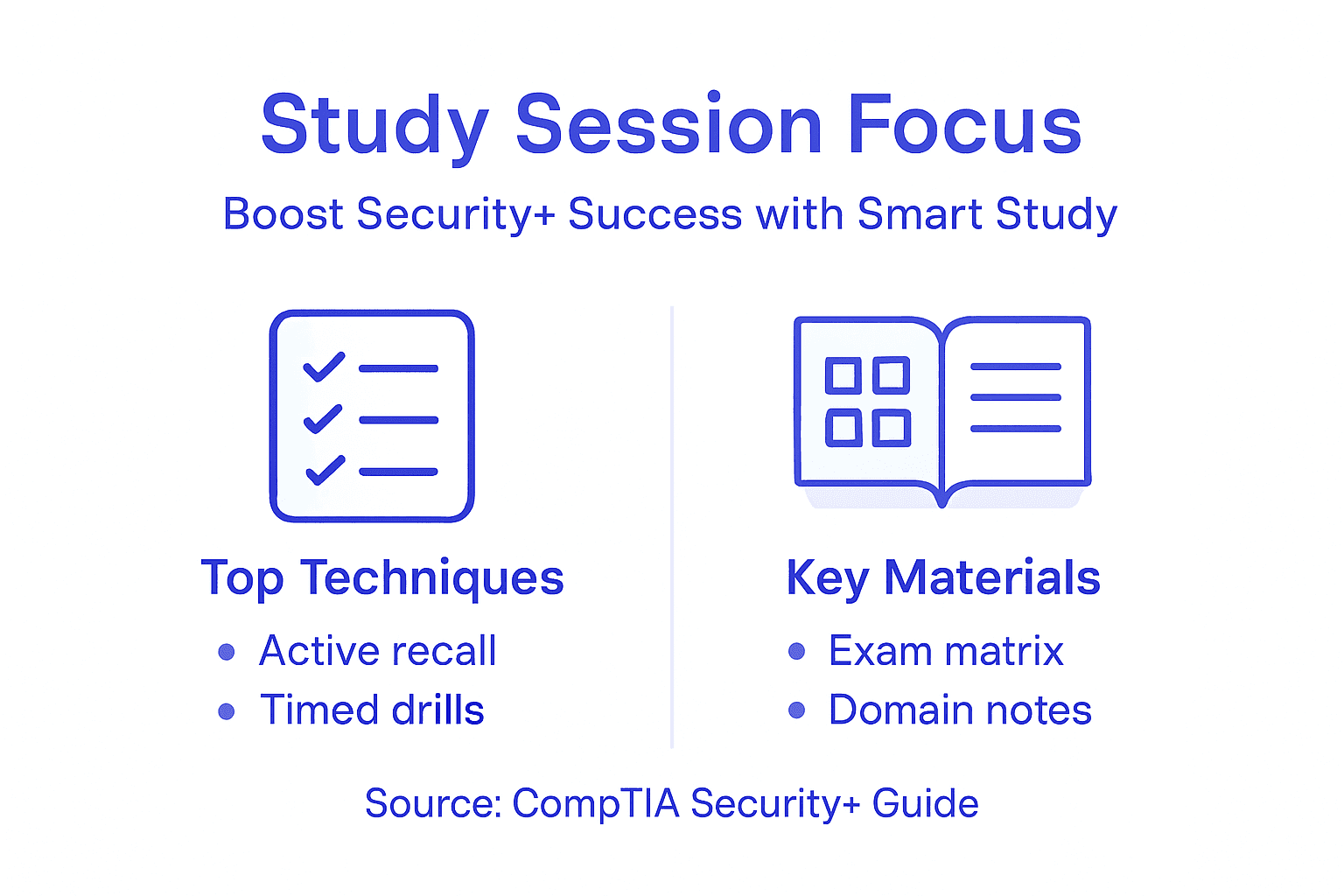
Structure your study approach around cybersecurity certification preparation techniques that emphasize hands on learning and scenario based understanding. This means dedicating specific time blocks to your weakest domains, using a combination of technical reading, video tutorials, lab exercises, and practice questions. Focus intensively on complex topics like encryption protocols, threat detection mechanisms, network security architecture, and incident response strategies. Break down each challenging concept into smaller digestible segments and practice applying them in realistic cybersecurity scenarios.
Implement an active learning methodology that goes beyond passive reading. Create mind maps connecting different security concepts, develop your own practice scenarios, and engage in discussions with study groups or online forums. Record your learning progress, track improvements in your understanding, and continuously adjust your study strategy based on your performance and comprehension levels.
Pro tip: Allocate at least 70 percent of your study time to topics where you scored below 80 percent in practice exams, ensuring targeted and efficient knowledge reinforcement.
Step 6: Validate Readiness with a Final Timed Practice Exam
Your final preparation step involves a comprehensive simulation of the actual CompTIA Security+ certification exam. This critical assessment will help you validate your knowledge, build test taking confidence, and identify any remaining areas of uncertainty before the official exam.
Select a comprehensive certification practice test that precisely mirrors the official exam format, including total number of questions, time constraints, and question types. Set up your testing environment exactly as you would for the actual certification exam. This means creating a quiet, interruption free space with a stable computer, ensuring your system meets all technical requirements, and mentally preparing yourself for a full length exam experience.
Approach this final practice exam with the same intensity and focus you will bring to the actual Security+ certification test. Treat every question as if it counts toward your final score. Time yourself strictly, practice strategic question elimination techniques, and maintain calm under pressure. After completing the exam, conduct a thorough review of your performance across all domains, paying special attention to areas where you made mistakes or felt uncertain.
Pro tip: Simulate exam day conditions by wearing the same type of clothing, using similar breaks, and maintaining the same energy level you plan to have during your actual certification exam.
Maximize Your CompTIA Security+ Success With Proven Practice Exams
Preparing for the CompTIA Security+ certification can be challenging, especially when trying to master key domains like Threat Management, Cryptography, and Network Infrastructure. This article highlights common hurdles such as managing exam conditions, identifying weak areas, and creating targeted study plans. If you want to transform these challenges into strengths, trusted resources are essential to build confidence and ensure first-time success.
Boost your Security+ exam readiness by using verified practice tests designed to simulate real exam conditions. PlanetCert.com offers a vast library of up-to-date questions and comprehensive study guides tailored for the 2025 and 2026 exam objectives. Access full-length practice exams that help you improve time management and exam strategies while pinpointing your weakest topics. Don’t wait until the last minute. Start your focused preparation today and take control of your certification journey. Explore our CompTIA Security+ practice questions and unlock the confidence you need to pass on your first attempt!
Visit PlanetCert.com now to begin your path to certification excellence and career advancement.
Frequently Asked Questions
What is the best way to set up my CompTIA Security+ practice exam environment?
To set up your CompTIA Security+ practice exam environment effectively, ensure your computer meets the technical requirements, including a stable internet connection and the latest operating system. Verify your equipment using the system check tool provided by your exam platform.
How do I review the domains covered in the CompTIA Security+ exam?
To review the domains covered in the CompTIA Security+ exam, break down the six key areas into specific objectives and study each one thoroughly. Focus on understanding both theoretical concepts and their practical applications to enhance your grasp of cybersecurity.
What should I do after completing my full-length practice tests?
After completing your full-length practice tests, analyze your performance by reviewing scores across each domain to identify areas for improvement. Create an action plan targeting your weakest domains to maximize your study efforts moving forward.
How can I reinforce my knowledge when preparing for the CompTIA Security+ exam?
To reinforce your knowledge, structure your study sessions around your identified weaknesses and use a mix of reading materials, video tutorials, and hands-on practice. Dedicate at least 70 percent of your study time to the topics where you scored below 80 percent in practice tests.
What should I include in my final timed practice exam?
Your final timed practice exam should closely mirror the official CompTIA Security+ exam format, including total questions and time limits. Set up your testing environment to match exam day conditions and approach the test with the same focus you will bring to the actual certification exam.
How can I manage stress during my CompTIA Security+ exam?
To manage stress during your CompTIA Security+ exam, practice relaxation techniques such as deep breathing and time management strategies during your practice exams. Simulate exam day conditions in your final practice test to help build confidence and reduce anxiety.
Discussion
Community Discussion
Sign in to leave a comment and access more free questions.