

Wireshark Display Filters: 7 Patterns That Appear in Every Exam
The moment you open a .pcap file in an exam simulator, the clock starts ticking. You need to isolate the right traffic, and you need to do it fast. That’s when you really feel the weight of those three hours of filter practice—or the panic of not having done enough.
I’ve been through the exam guides, the community chatter, and the official WCA‑101 objectives. A handful of display filter patterns get recycled across nearly every networking certification, from the WCA and Network+ right through to CCNA. They aren’t advanced trick expressions. They’re the bedrock patterns that exam writers use to test whether you can find what they ask for in a packet capture without wasting five minutes guessing at syntax.
This listicle ranks the seven patterns by how unavoidable they are in a certification exam. Each entry covers the syntax, a concrete scenario, the one limitation most candidates bump into, and a fast way to lock it into muscle memory.
1. The Protocol Filter: tcp, udp, ip, and Friends
When an exam simulation shows a 10 MB .pcap file, slapping tcp into the display filter bar is usually your first move. It strips away everything except the transport‑layer protocol you care about, which instantly cuts the packet count by half or more.
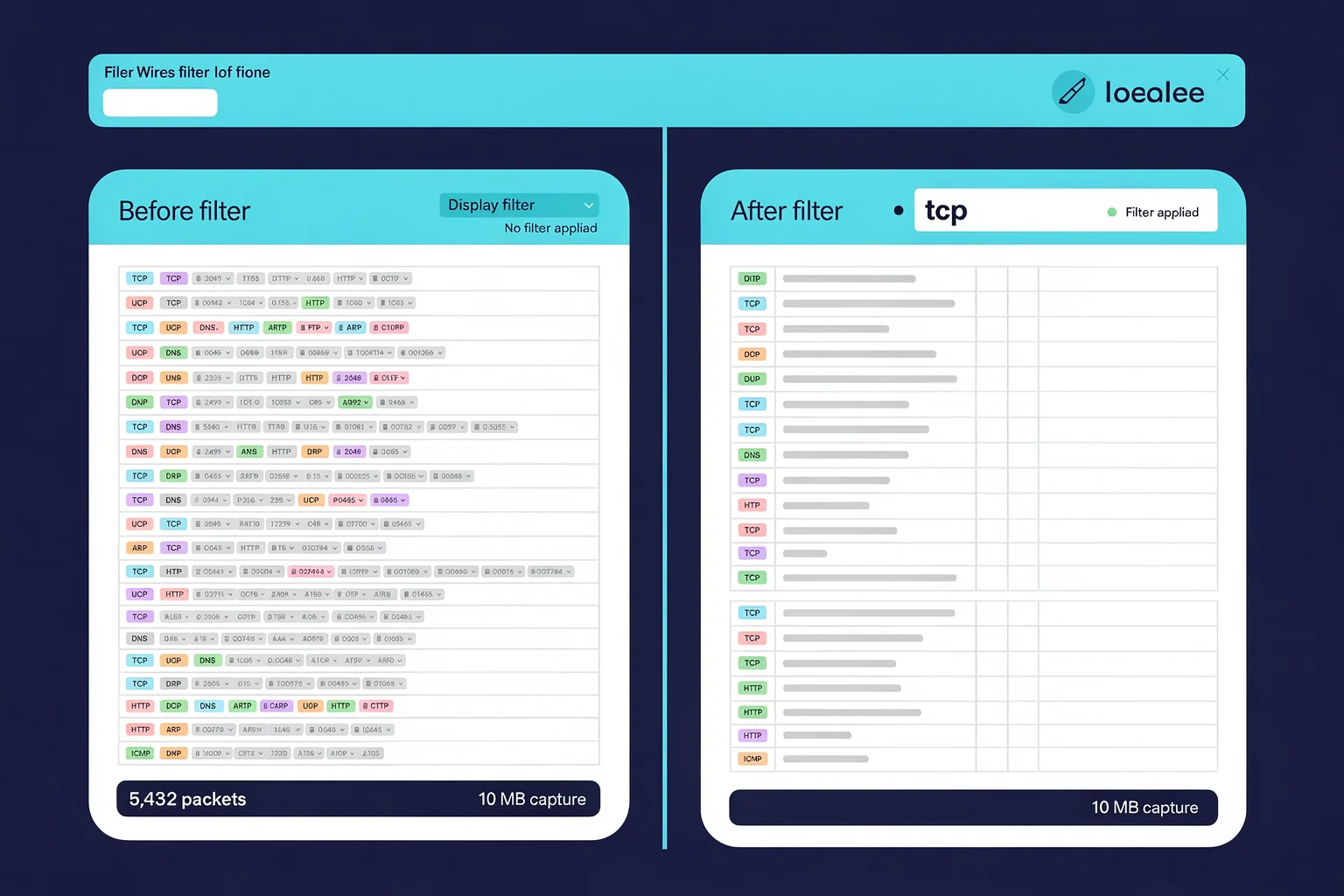
The Wireshark Filter manual page puts it plainly: “The simplest filter allows you to check for the existence of a protocol or field.” Typing just tcp, udp, or ip is that simplest filter, and it’s a direct match to the WCA‑101 objective that asks you to “Use Wireshark filters to isolate relevant packets for analysis.”
tcp udp ip arp
This pattern appears in exams every time you need to separate DNS from HTTP or prove that a session was blocked because only UDP port 53 got through. If you’re working through a PlanetCert practice test, you’ll often find a scenario that begins with “filter this capture to show only TCP traffic,” because the test author knows that’s the first practical step.
Limitation. Showing only tcp gives you thousands of stray packets with no further context. You still have to combine it with a port or address—patterns 2 and 3—to reach the answer.
2. The Address Filter: ip.addr == and Its Siblings
Once the protocol is in view, exam questions almost always ask you to zero in on a specific host. That’s where address filtering takes over. The expression ip.addr == 192.168.1.101 is the fastest way to collect all traffic to or from a single IP—every SYN, every ACK, every DNS lookup.
ip.addr == 10.0.0.5
ip.src == 10.0.0.5
ip.dst == 10.0.0.5
You’ll use ip.src when the question asks “what data did the client send?”, and ip.dst when it asks “what did the server reply?”. In the CompTIA Network+ objectives, protocol analysis includes identifying hosts by address, and this filter is the direct line to that skill.
A Wireshark filter practice test will often throw a couple of suspicious hosts into a capture and ask you to isolate the one that sent the largest packet. That’s exactly the sort of task where first typing ip.addr == and then watching the I/O Graph saves you minutes.
Limitation. Hard‑coded IPs break the moment the exam uses a different subnet, which is why you also need subnet filtering like ip.src == 10.0.0.0/24 for a wider lens.
3. The Port Filter: Pinpointing the Service
Protocol plus address tells you what and who. The port filter tells you which service. When an exam question mentions “HTTP traffic,” “Telnet login,” or “DNS resolution,” the answer always starts with a port number.
tcp.port == 80
udp.port == 53
tcp.dstport == 443
The tcp.port form matches either the source or destination port, which is handy when the capture shows both directions of a conversation. If the question specifically wants the response from the web server, tcp.srcport == 80 is the tool.
The 6.4. Building Display Filter Expressions guide from Wireshark notes that you can “filter on any protocol that Wireshark supports” and any field a dissector adds, so port filtering is only the beginning. Still, in an exam, it’s the single most time‑efficient way to jump from a thousand frames down to the six that matter.
Limitation. Port numbers are only a convention. A rogue application can tunnel HTTP over port 443 or SSH over port 8080, and the port filter won’t catch that if the exam scenario expects you to spot protocol mismatch at a higher layer.
4. TCP Flags: Diagnosing Handshakes and Half‑Open Connections
Once you’re staring at a TCP stream, flags determine whether the handshake completed, whether the connection was reset, or whether someone is running a SYN scan. This pattern shows up in any exam that touches on security analysis, including WCA‑101 and the security‑focused parts of Network+.
tcp.flags.syn == 1 && tcp.flags.ack == 0
tcp.flags.reset == 1
tcp.flags.fin == 1
The filter tcp.flags.syn == 1 && tcp.flags.ack == 0 isolates the first packet of every TCP handshake. Knowing it inside out means you can answer a question about “how many connection attempts reached the server” in about five seconds. The same goes for catching reset storms: tcp.flags.reset == 1 will surface every RST packet, a dead giveaway for blocked traffic or a misconfigured firewall.
When I watch candidates work through packet analysis skills for exams, the ones who treat flag filters like second nature finish the troubleshooting sims far quicker than those who keep flipping back to the reference sheet.
Limitation. Flag filters only make sense inside TCP. If the exam switches to UDP or ICMP, you need a different tool—and sometimes candidates freeze because they don’t realise they should drop the flag logic and go back to port or type filtering.
5. DNS Query Filters: Tracking Name Resolution
Most exam captures include at least a handful of DNS requests. Whether the scenario is “the client can’t reach https://www.example.com” or “spot the beaconing malware,” the DNS resolver is usually the first point of interest.
dns.qry.name contains "example"
dns.qry.name == "www.evil.com"
dns.flags.rcode != 0
The dns.qry.name contains pattern lets you filter for a partial domain string without knowing the exact FQDN—useful when the exam question says “find all DNS lookups for anything on the customer’s domain.” The rcode filter catches every failed query at once, which can instantly explain why a connection timed out.
On Wireshark exam sample questions sets, you’ll often see a pcap with a dozen DNS entries buried inside HTTP and ARP noise. Knowing to apply dns and then a name filter is the difference between answering in 30 seconds and running out of time.
Limitation. DNS filters are case‑sensitive, and the query name includes the trailing dot. If the capture records www.example.com., the filter must match exactly—or you’ll stare at a blank packet list wondering why nothing shows up.
6. Combining Filters: and, or, not, and Parentheses
This is where the first five patterns converge. Exams love to hand you a complex scenario— “show all TCP SYN packets from 192.168.1.0/24 destined for port 443 except those that also carry an ACK”—and your job is to build a single expression that does it all.
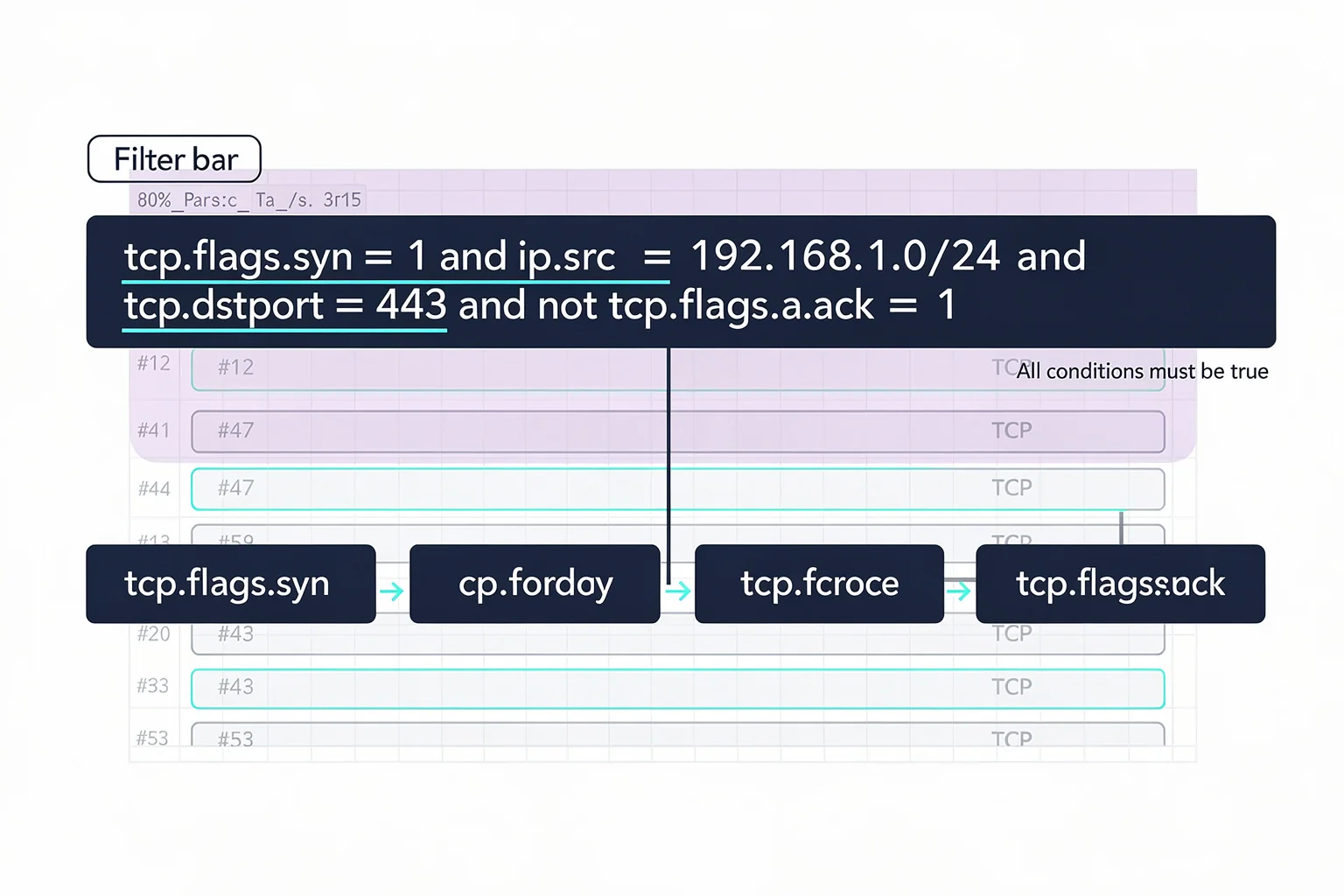
tcp.flags.syn == 1 and ip.src == 192.168.1.0/24 and tcp.dstport == 443 and not tcp.flags.ack == 1
(tcp.port == 80 or tcp.port == 8080) and ip.dst == 10.0.0.1
The Wireshark Filter manual page confirms that comparisons can be “combined with logical operators, like and and or, and parentheses into complex expressions.” It’s the same logic they put into the exam objectives. If you can’t group conditions with parentheses, you’ll mis‑evaluate the order of operations and pick the wrong answer.
In the PlanetCert exam simulator, you’re likely to hit a question that shows a screenshot of a capture with a pre‑filled filter bar and asks which filter expression would produce that view. The difference between tcp.port == 80 or tcp.port == 443 and ip.src == 10.0.0.5 and its corrected parenthesised version is the difference between a pass and a retake.
Limitation. Long combined filters become hard to read in the narrow filter bar, and a single missing parenthesis can break the expression silently—Wireshark won’t give you an error, it just shows zero packets, which during an exam is terrifying.
7. Checking for a Specific Field: http.request, tcp.analysis.flags, and Beyond
The last pattern that re‑appears across exams is the field‑presence filter. Instead of filtering on a value, you filter on whether a protocol field exists at all. http.request shows only HTTP requests, not responses. tcp.analysis.flags shows packets with expert‑infos that Wireshark has flagged, like retransmissions or duplicate ACKs.
http.request
dns.flags.response == 1
tcp.analysis.retransmission
According to the Wireshark display filter reference, there are “over 328000 fields in 3000 protocols,” so you can’t memorise them all. But you can memorise the pattern: type the protocol, a dot, the field name, and possibly a comparison operator. For exam success, the trick is knowing that http.request.method == "POST" is a valid filter while http.method == "POST" isn’t, because the field is really http.request.method.
Limitation. Field names shift between Wireshark versions. The WCA‑101 officially targets Wireshark 4.x syntax, but older resources may use deprecated names, so always check the available fields via View → Internals → Supported Protocols before the exam—or trust a practice test that simulates the current version.
Locking In the Patterns Under Exam Pressure
Knowing the syntax on a cheat sheet isn’t the same as recalling it when the timer shows 12 minutes left and you’ve got three questions to go. The only way to make these patterns automatic is to use them inside a timed, exam‑shaped environment.
That’s where a structured practice platform helps. When you’re working through a PlanetCert practice test, the simulator shows a realistic packet capture and asks you to filter it to answer a question, exactly like the real thing. Because the test is timed, you learn to type tcp.port == 80 and ip.addr == 10.0.0.5 from memory instead of hunting through notes. And after each attempt, the explanation panel shows why your filter worked—or why it nearly worked but one flag was wrong.
The 2026 Wireshark skills for success report highlights that candidates who practised filtering under timed conditions showed markedly higher scores on analysis‑based items. Practice doesn’t just build recall; it builds the composure to handle a weird capture without freezing.
Your Display Filter Questions, Answered Here
What’s the difference between a display filter and a capture filter?
Capture filters use the libpcap syntax (like host 10.0.0.5 and port 80) and limit which packets are stored; display filters use Wireshark’s field‑based language and control what you see from an already captured file. Exams test display filters far more often because they relate to analysis tasks.
How many filters do I realistically need to memorise for the WCA‑101?
You don’t need hundreds. The seven patterns above cover around 70–80 % of the filter‑based tasks. The remaining 20 % involve lesser‑used protocols like SMB or MQTT that you can handle by checking the field list during the exam.
Can I copy‑paste filters during the exam?
Probably not. Certified Analyst exams usually lock you into a simulated environment where you must type expressions manually. That’s why muscle memory matters more than a bookmark folder full of snippets.
What if I get a version mismatch between my practice setup and the exam?
Use a platform that updates its question sets when Wireshark releases breaking changes. For example, Wireshark 4.4 exam changes introduced new default bit‑rate fields, and Network+ candidates who practised on older builds had to unlearn old habits. Matching the exam version matters.
References
- 6.4. Building Display Filter Expressions — Wireshark provides a display filter language that enables you to precisely control which packets are displayed. They can be used to check for the presence of a protocol or field,
More to Read Before Exam Day
- Wireshark certification paths
- Wireshark Filters Every Network+ Candidate Should Memorise
- Certification paths for salary boost
browse the relevant exam page and purchase a practice test

Discussion
Question Comments
0 comments·0 participantsSign in to leave a comment and access more free questions.